How to Convert Art Styles Into Realistic Photos With AI
AI tools are making it easier than ever to turn creative drawings and paintings into lifelike photographs. Now you can convert drawings to photos and watch cartoon characters, anime art, line sketches, and even abstract or oil paintings come to life in realistic detail. In this guide, we’ll show you how to use the new GPT-4o image tool through PhotoPrompt to transform various art styles into photorealistic images. GPT-4o’s image model is “capable of precise, accurate, photorealistic outputs”, meaning it can follow your descriptions closely and generate realistic scenes even from very abstract or stylistic prompts.
For each art style, we’ll explain what it is, why you might want a photo version, and give example prompts you can try on PhotoPrompt (a free and easy AI image generator) to get stunning realistic images. Whether you’re a designer, educator, or just curious, this step-by-step overview will help you master AI photo realism and learn to “turn cartoons into photos” in no time.
PhotoPrompt is a versatile AI image generator powered by OpenAI’s GPT-4o. It can create “high-quality visuals from any idea in minutes”, supporting a wide range of styles. Its engine “was trained to produce photorealistic visuals and intricate art” so outputs look polished. In fact, PhotoPrompt can generate everything from realistic photos and sketches to anime, Ghibli-style illustrations, oil paintings, sci-fi art, and more. It even allows you to upload reference images if you want to guide the style. Best of all, PhotoPrompt offers a free tier so you can try it out immediately.
Below, we break down how to prompt PhotoPrompt for each of these art styles. Use the example prompts as a starting point (feel free to customize them), and see how the AI can reimagine your art as a photo.
Why Convert Art to Realistic Photos?
Artists and creators often use stylized art for storytelling and design, but sometimes you may want a realistic photo instead. Converting art to a photo can:
- Bring characters and scenes to life: See what a cartoon or anime character would look like in a real-world photograph. It’s fun and imaginative to see your art reinterpreted as a lifelike image.
- Create marketing or educational visuals: Realistic images can be used in ads, presentations, or classroom materials. For example, a teacher could turn a historical cartoon into a realistic portrait to engage students.
- Prototype designs and concepts: Designers and game developers often sketch ideas (sketches, pixel art, concept art) and then use AI to quickly generate realistic mockups of those concepts.
These needs are reflected in popular searches like “turn drawing into realistic photo” or “photo from anime”. Today’s AI can fulfill those requests: OpenAI notes that GPT-4o now “can produce precise and photorealistic images” from prompts. In practice, that means you can describe a cartoon scene in words and get back a vivid photo-like image. PhotoPrompt leverages this capability, adapting to your prompt so any art style – from simple line drawings to surreal paintings – can be transformed into a convincing photo.
GPT-4o and PhotoPrompt: Powerful AI Image Generation
GPT-4o is OpenAI’s latest multimodal model with advanced image generation built in. Trained on a vast dataset of images and text, GPT-4o can handle detailed prompts and a variety of styles. It even “can transform uploaded images or use them as visual inspiration”, so if you upload a sketch, PhotoPrompt can use it as a guide.
PhotoPrompt is a free, browser-based tool that uses GPT-4o to create images. It’s beginner-friendly: you simply enter a text prompt (and optionally upload reference images) and the AI generates a high-resolution image. PhotoPrompt advertises lightning-fast generation and high-quality, photorealistic results. The interface is intuitive, so no coding is needed – just type what you want. According to PhotoPrompt, its model “excels at precisely following your text prompts” to generate accurate, context-aware images.
In short, you describe the scene as if taking a photo, and PhotoPrompt, powered by GPT-4o, will try to produce it realistically. The tips below will help you craft prompts that get the best results for each art style.
Converting Different Art Styles to Photos
This section covers each art style, with a brief description and examples. For each style, use the PhotoPrompt prompt example (or modify it) to generate a realistic image.
Cartoon
Cartoons are drawings with exaggerated, simplified features and bright colors. They often use bold outlines and flat shading, as seen in comic strips or animated shows. A classic cartoon style is semi-realistic but playful, not following real-world proportions.
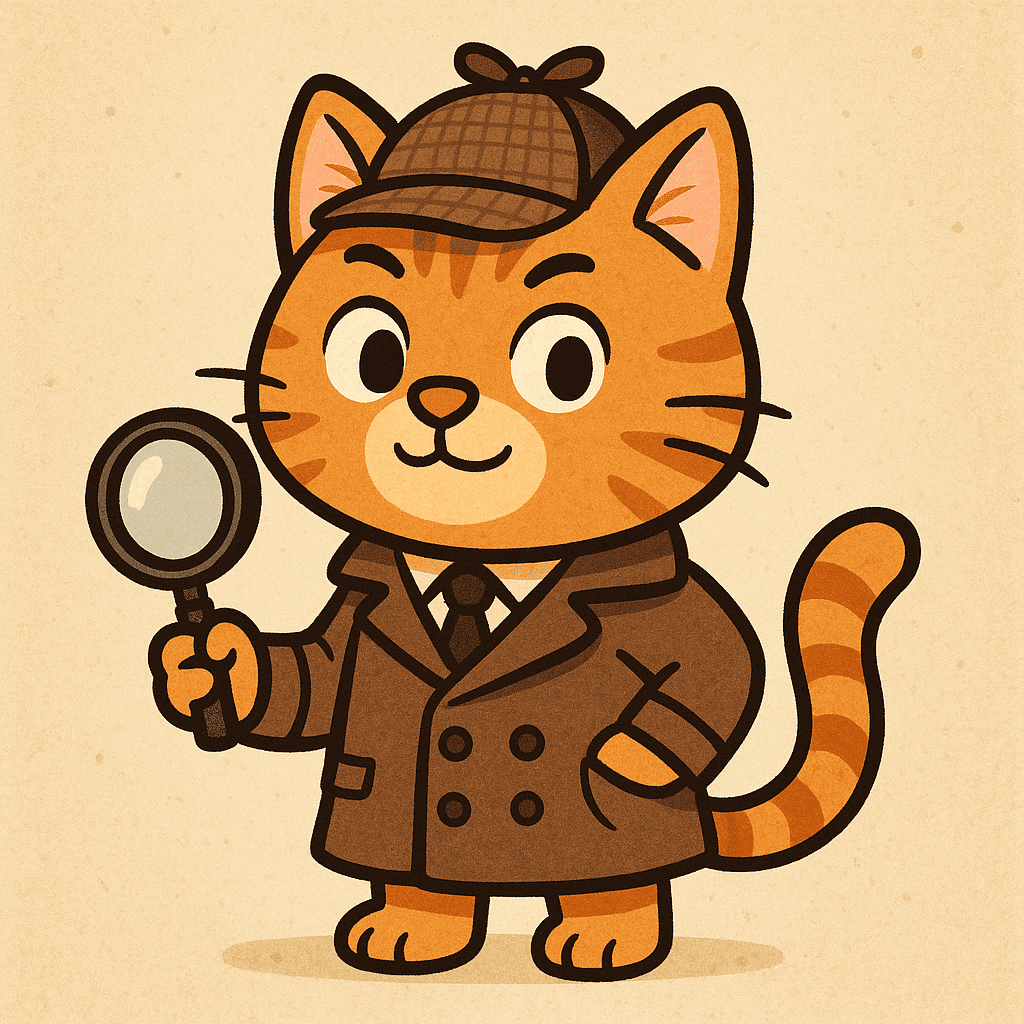
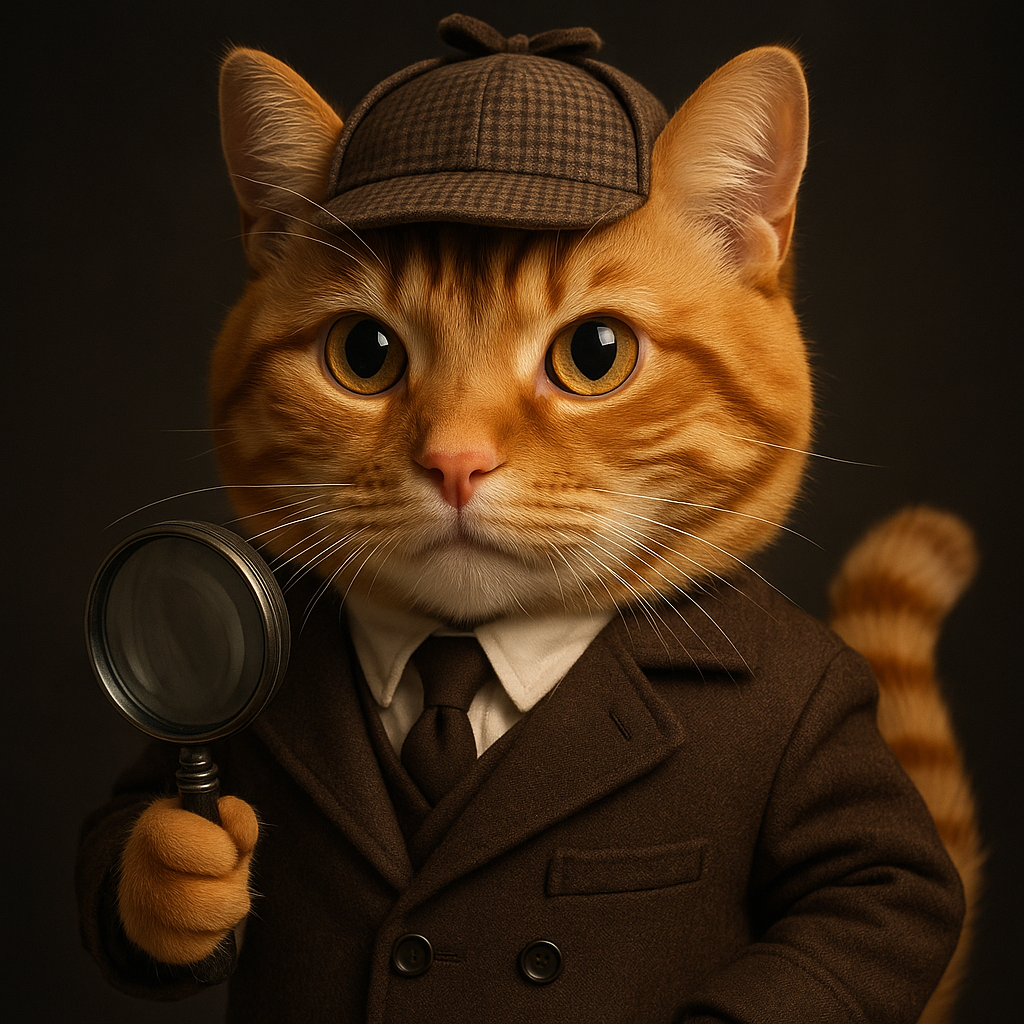
- Why convert: You might want to see a beloved cartoon character in real life or create realistic scenes from a cartoon story. Turning cartoons into photos can make fun fan art, or help marketers imagine cartoon mascots as real people or objects.
- Example PhotoPrompt prompt: “A photorealistic portrait of a cartoon orange tabby cat wearing detective clothes, as if taken by a high-end DSLR camera. Sharp focus, studio lighting, ultra-detailed fur and fabric textures, 8K resolution.”
- What to expect: The result should look like a real photograph of an orange cat dressed in detective attire. You’ll see natural lighting, realistic fur and cloth textures, and life-like animal features.
Anime
Anime is a style of Japanese animation noted for its colorful art, stylized characters, and often large, expressive eyes. Anime characters have distinct hair and eye colors and dynamic poses, with backgrounds ranging from simple to detailed.
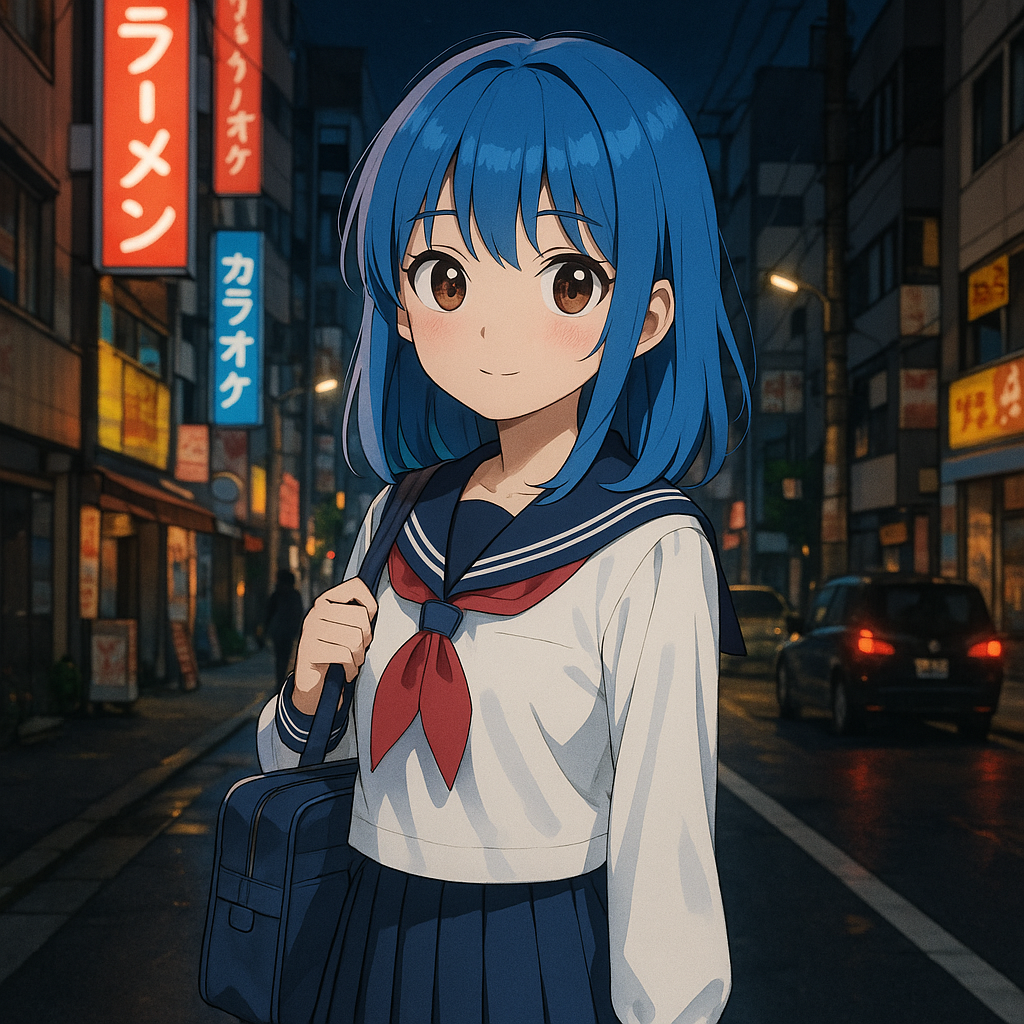
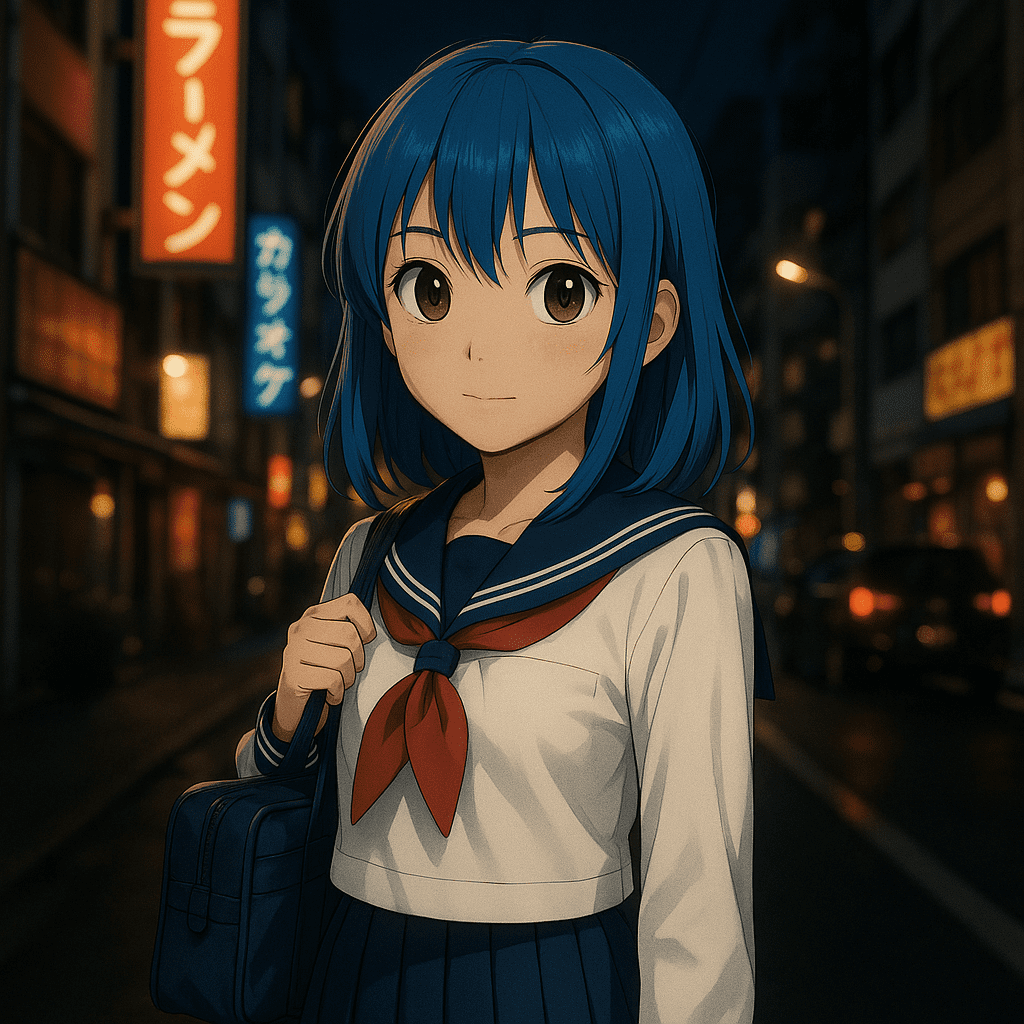
- Why convert: Fans often wonder “how would an anime character look if real?”. Converting anime to photo can satisfy that curiosity by giving a realistic face or scene to the character.
- Example PhotoPrompt prompt: “A realistic photo of an anime-style schoolgirl with blue hair and big brown eyes standing on a Tokyo street at night. Photo taken with a Canon camera, cinematic lighting, shallow depth of field, ultra-detailed clothing and background with neon signs.”
- What to expect: The output should resemble a real human with anime-inspired features – perhaps slightly larger eyes – but fully textured skin, hair and surroundings.
Line Drawing
Line drawings (line art) use only outlines – straight or curved lines – and no shading or color fills. Think of a simple black-and-white comic or coloring book outline. These drawings capture shapes without textures.
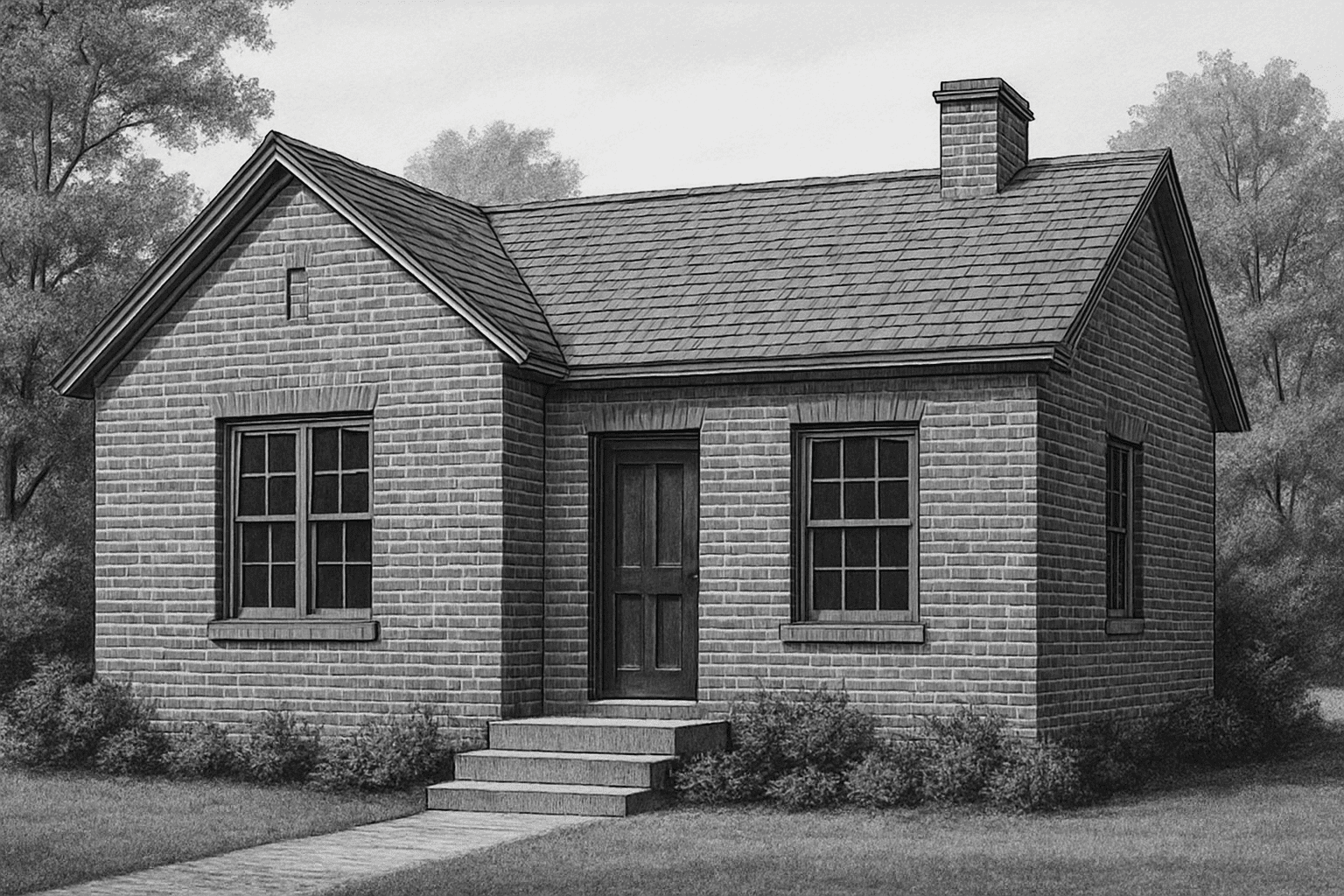
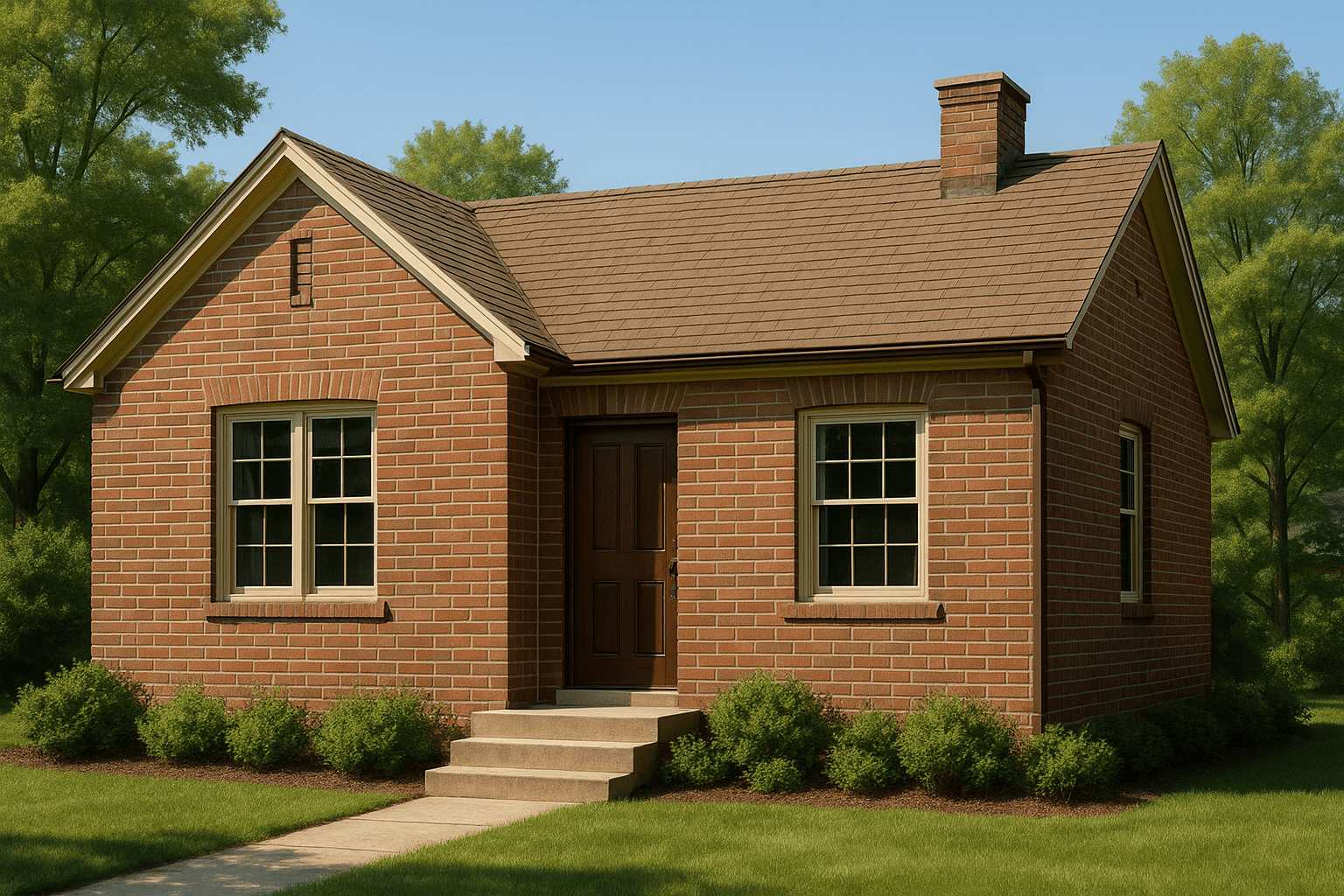
- Why convert: Converting line drawings to photos can quickly flesh out ideas. A simple sketch of a product, building, or character can be turned into a photorealistic image.
- Example PhotoPrompt prompt: “A photorealistic image of a house based on this black-and-white line drawing. The house should look like a real suburban home with brick walls and a sloped roof, taken on a sunny day with natural shadows.”
- What to expect: The AI will add colors, lighting and texture. The final image should read as an actual photograph of a house, with no hint of cartoonish outlines.
Sketch
A sketch is a rough, unfinished drawing that captures basic forms and ideas. Sketches often have pencil or charcoal strokes and unfinished lines.
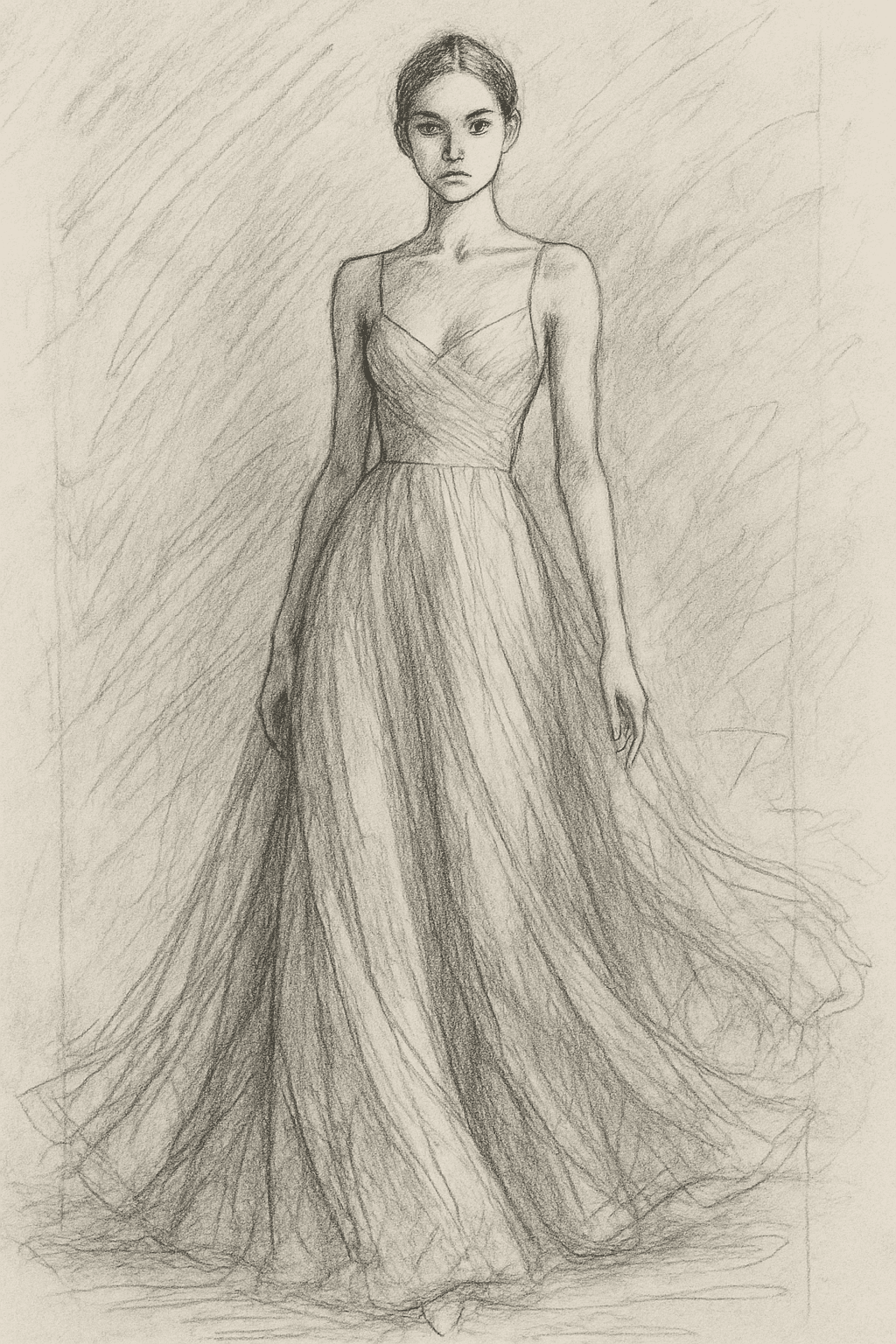
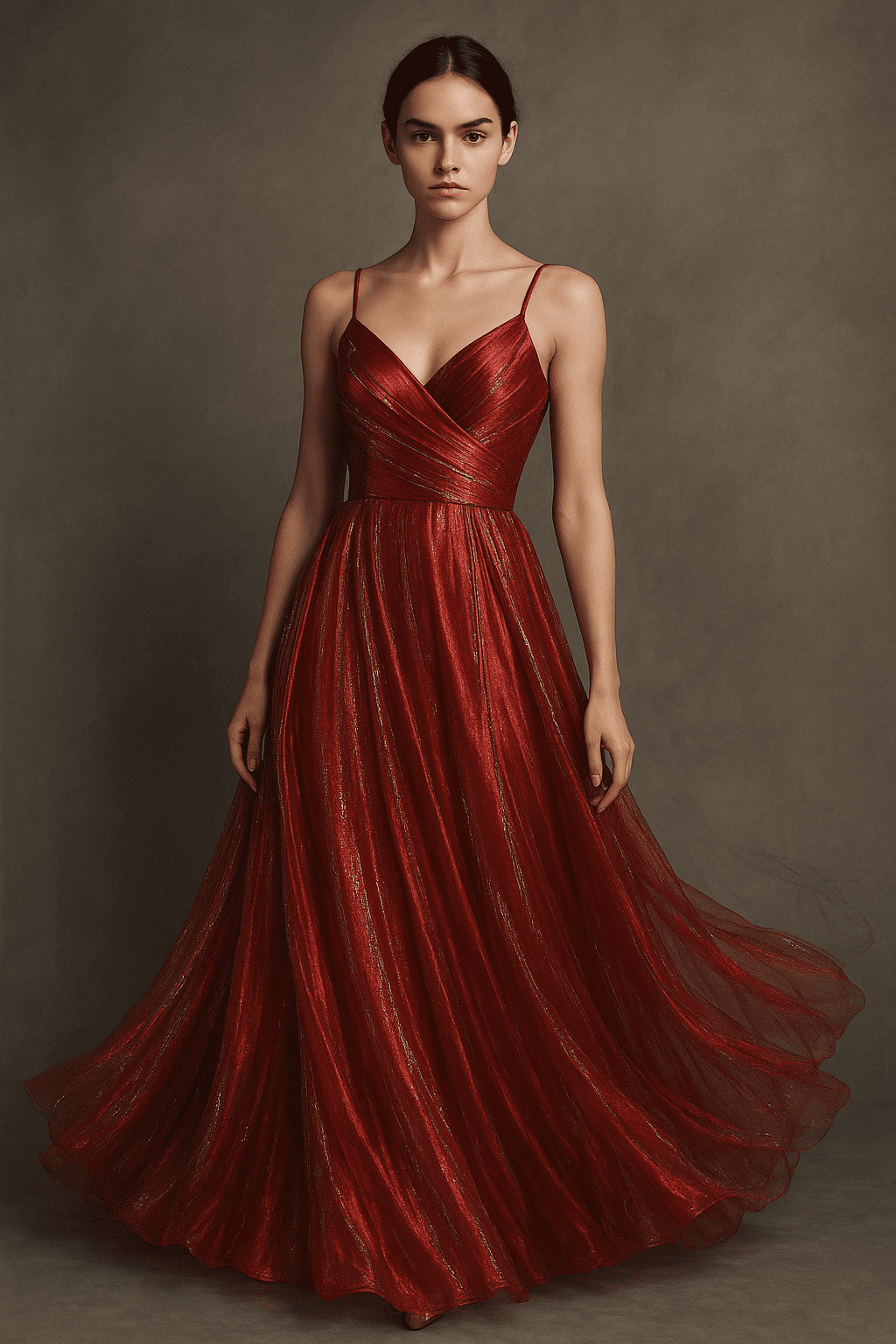
- Why convert: Sketches are useful concept visuals but lack detail. Converting a sketch to a photo can make the concept more vivid.
- Example PhotoPrompt prompt: “A realistic photo of a female model wearing a flowing evening gown, based on this rough pencil sketch. The dress is red silk with silver accents. Studio lighting, full body shot, lifelike skin and fabric textures.”
- What to expect: The result should look like a professional photo of a model in a red dress. You’ll see smooth skin, detailed fabric folds, and correct lighting.
Chinese Ink Painting
Chinese ink (or ink wash) painting is a traditional art style using black ink (and sometimes subtle colors) on paper. It features expressive brush strokes and often depicts landscapes, nature, or calligraphy.
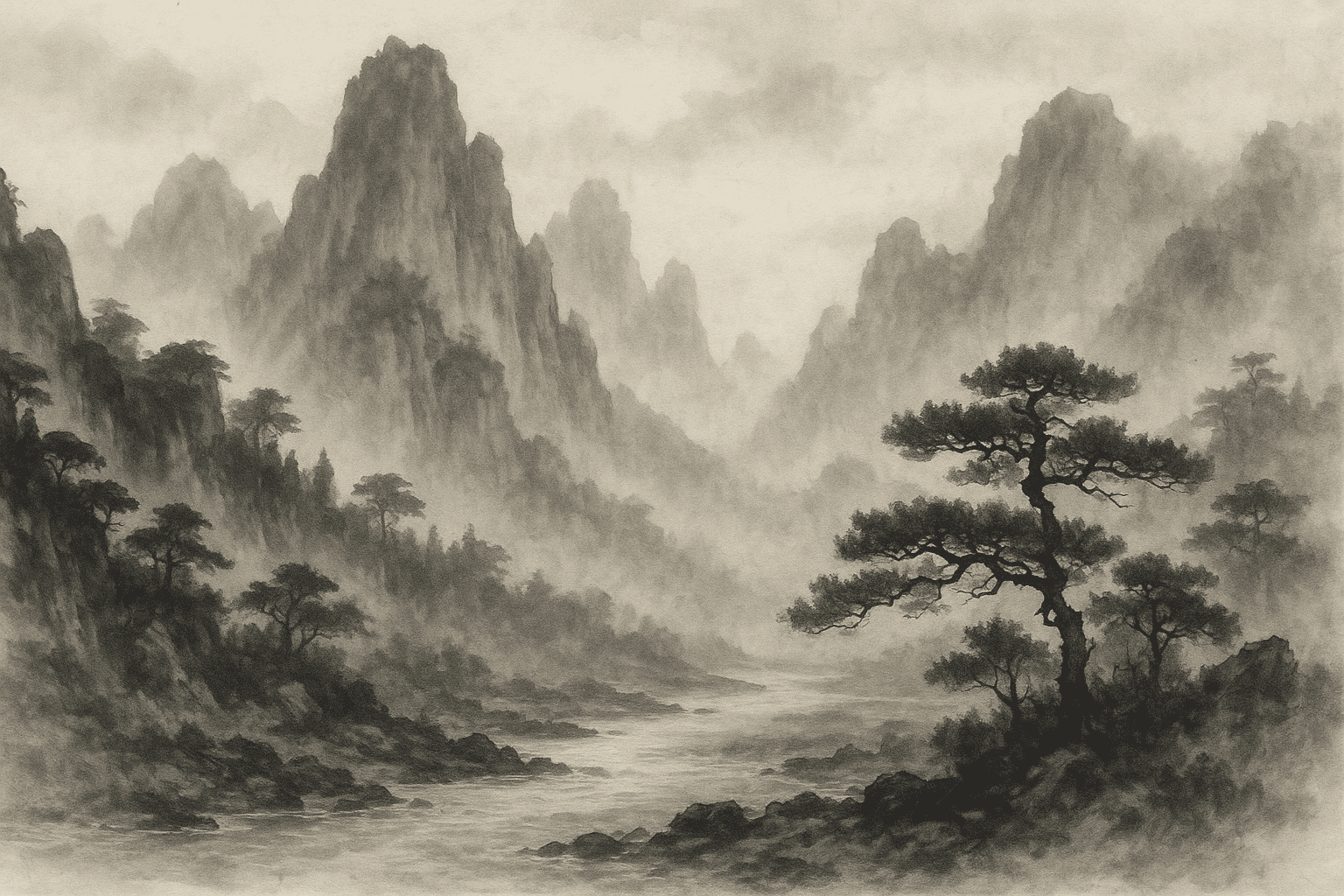
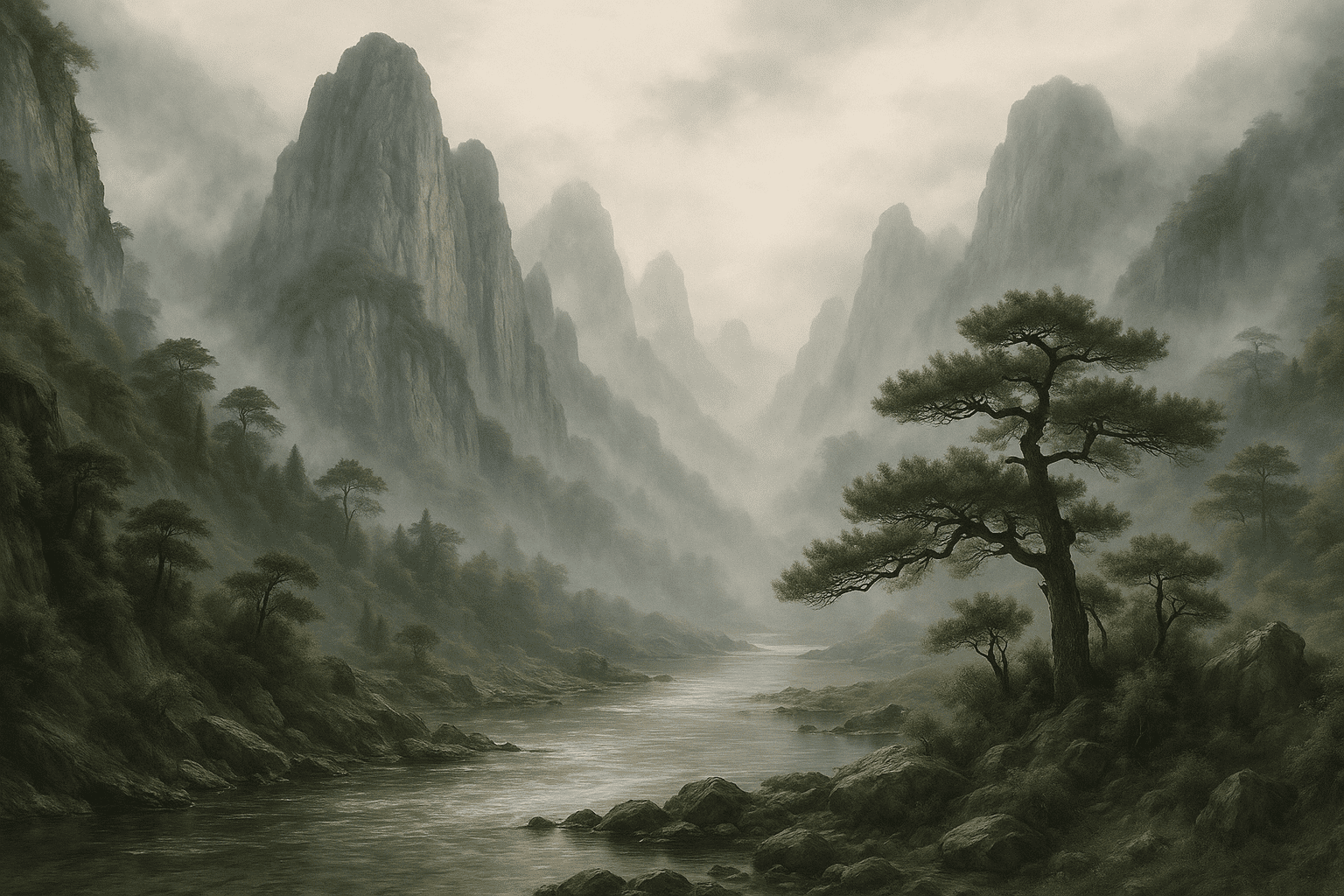
- Why convert: An artist may want to see what a traditional ink scene looks like as a real landscape. It’s a creative way to blend Eastern art style with real-world scenery.
- Example PhotoPrompt prompt: “A photorealistic landscape inspired by a Chinese ink painting: misty mountains with pine trees and a river. Realistic daylight scene with detailed rock textures and water reflections.”
- What to expect: The output should resemble a real photograph of mountains and trees with mist. You will see realistic tree bark, water ripples, and fog.
Oil Painting
Oil painting uses pigments in oil that allow rich blending and texture. It often has bold colors and visible brush strokes. Classic art from the Renaissance to modern portraiture uses oil.
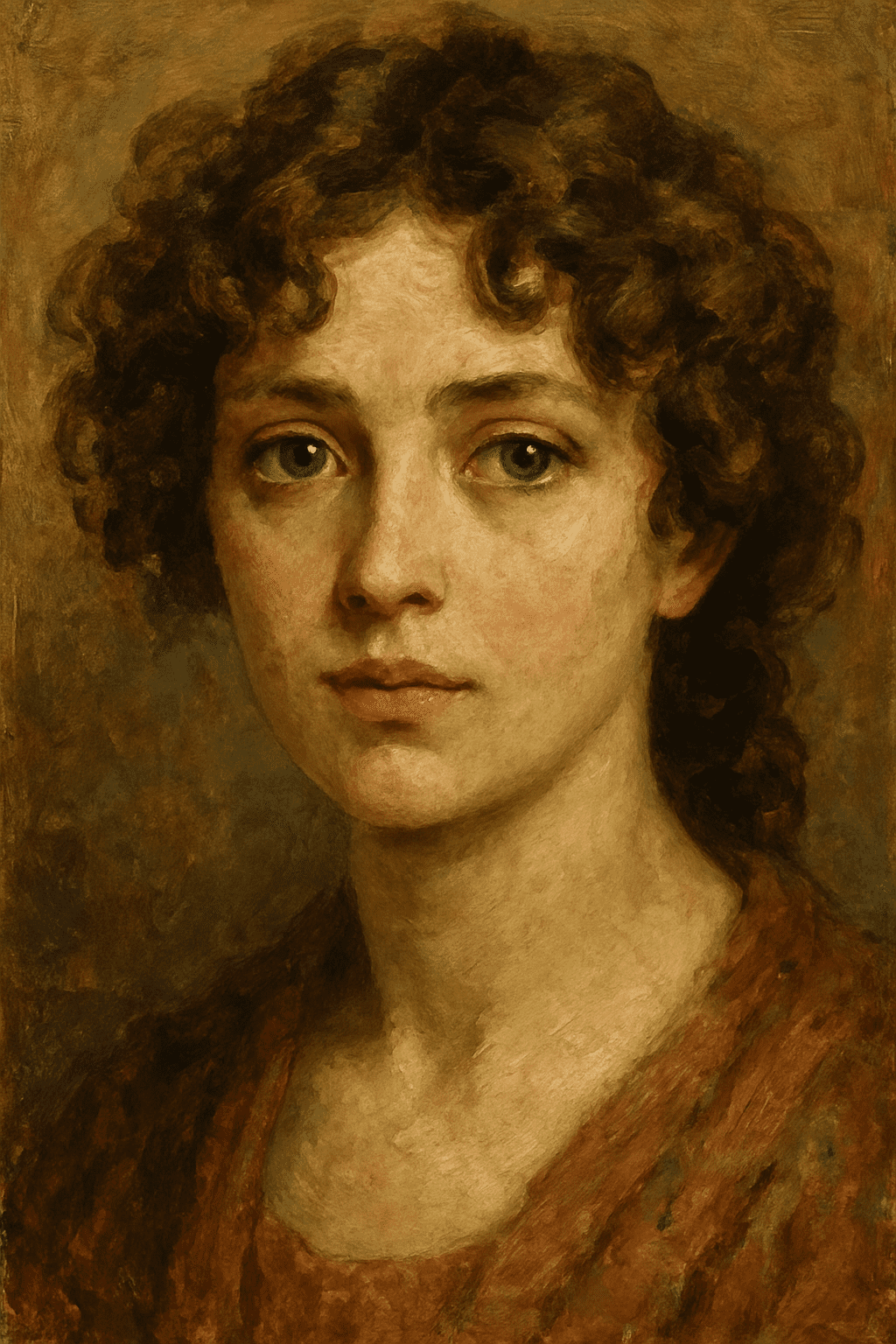
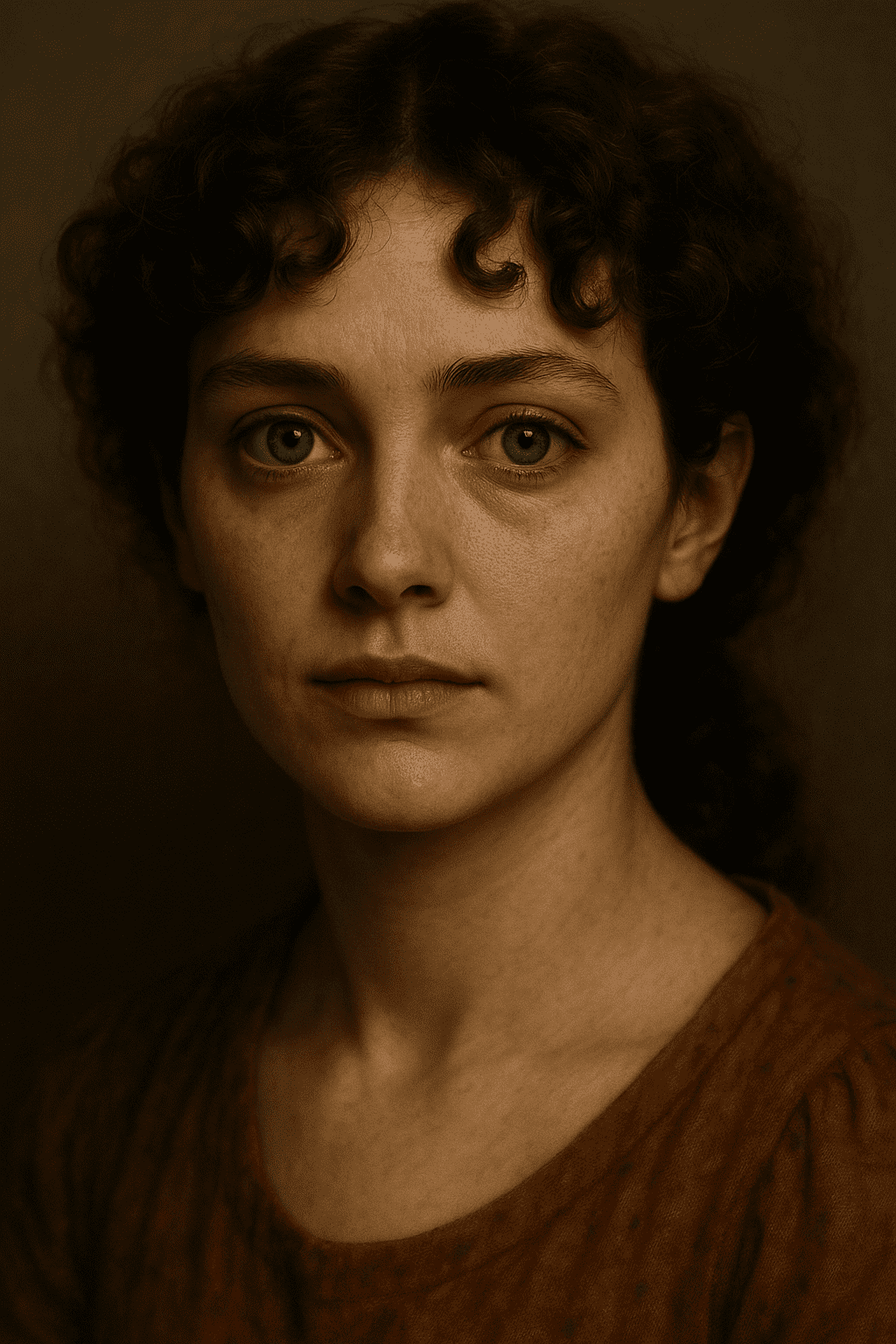
- Why convert: Turning an oil painting into a photo can help modernize or analyze it. It’s also fun to see how famous oil paintings would look as photographs.
- Example PhotoPrompt prompt: “A photorealistic close-up portrait of a woman. She has curly hair and blue eyes. The photo should look like it was taken with a 50mm lens, with detailed skin texture and subtle studio lighting.”
- What to expect: The result will look like a high-quality portrait photograph. You’ll see realistic skin pores, natural hair strands, and balanced light/shadow.
Pixel Art
Pixel art is a digital art form where images are made of small colored squares (pixels). It looks blocky with a limited color palette.
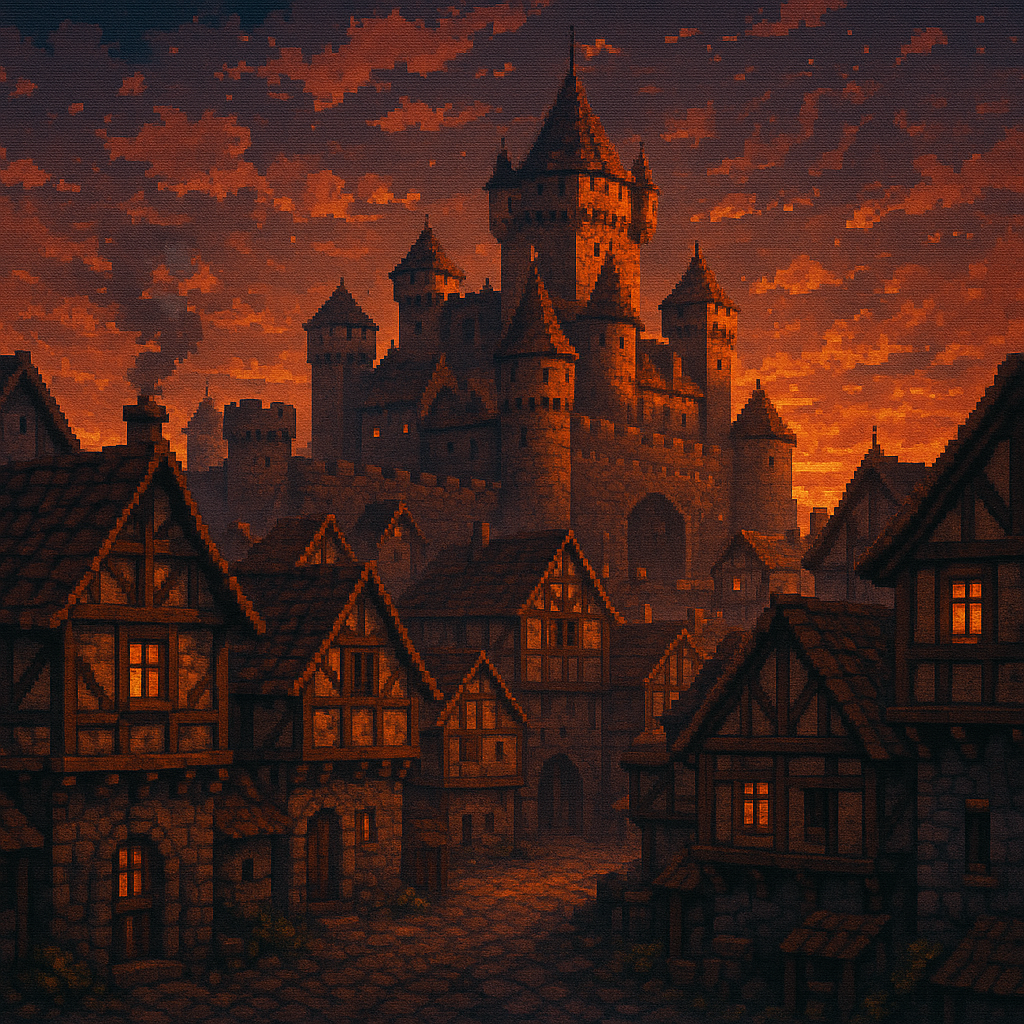
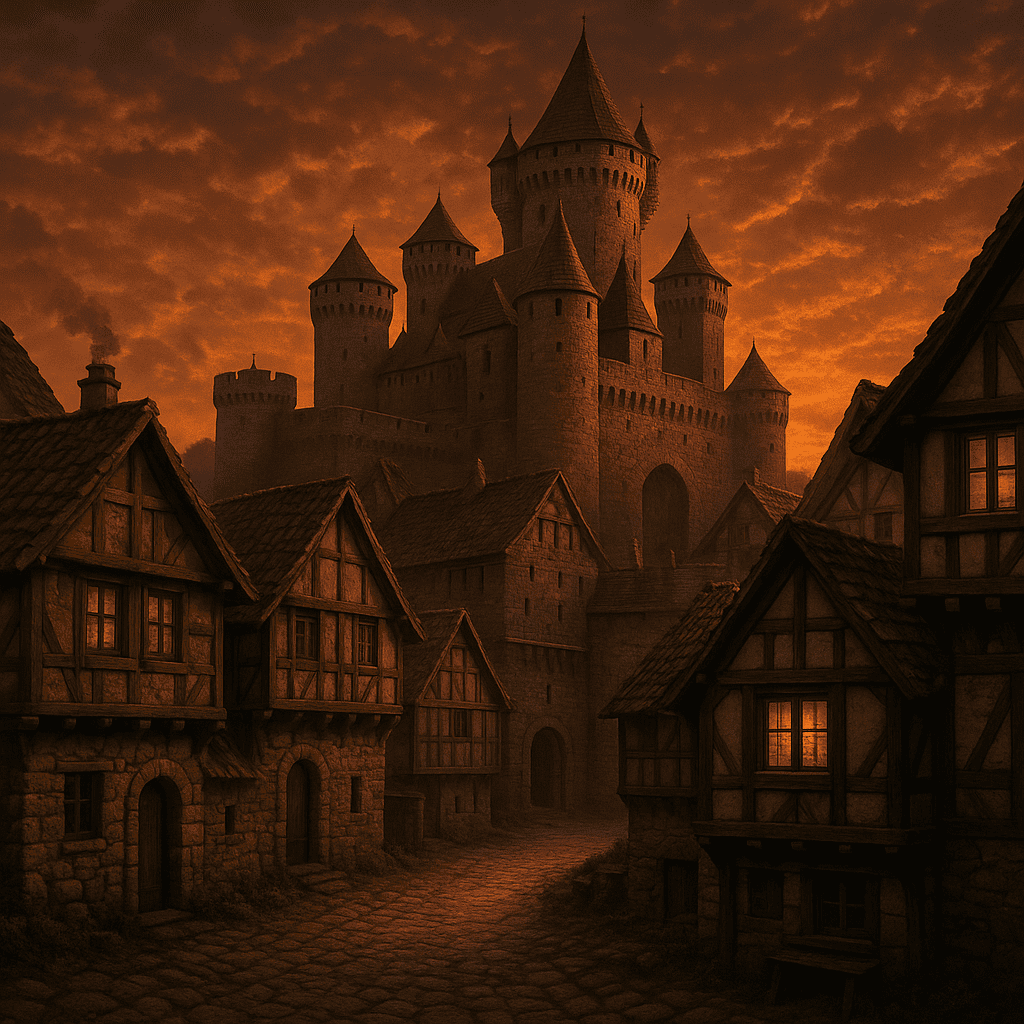
- Why convert: A gamer or artist might want to see a pixel-art scene in real life. Converting pixel art to photo can also help prototype how game graphics might look in a higher-res remake.
- Example PhotoPrompt prompt: “A photorealistic image of a medieval town. The pixel image shows a castle and village at sunset. The generated photo should look like an actual medieval village with stone walls and wooden roofs.”
- What to expect: The AI will transform the blocky pixels into detailed textures like cobblestones and wood grain. The lighting should match the pixel art’s sunset palette.
Abstract Art
Abstract art uses shapes, colors, and forms without clear references to reality. It focusing on emotion or concept.
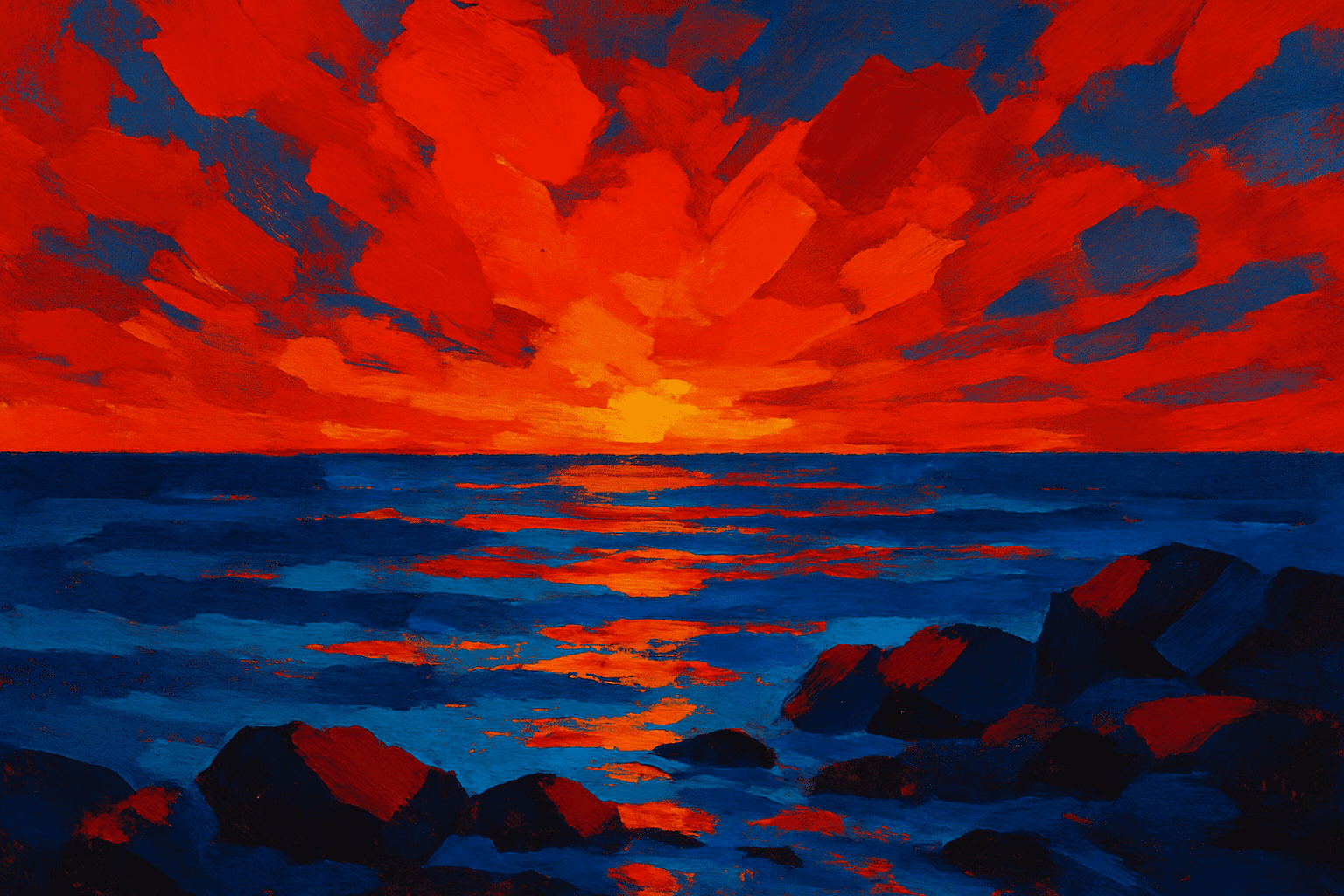
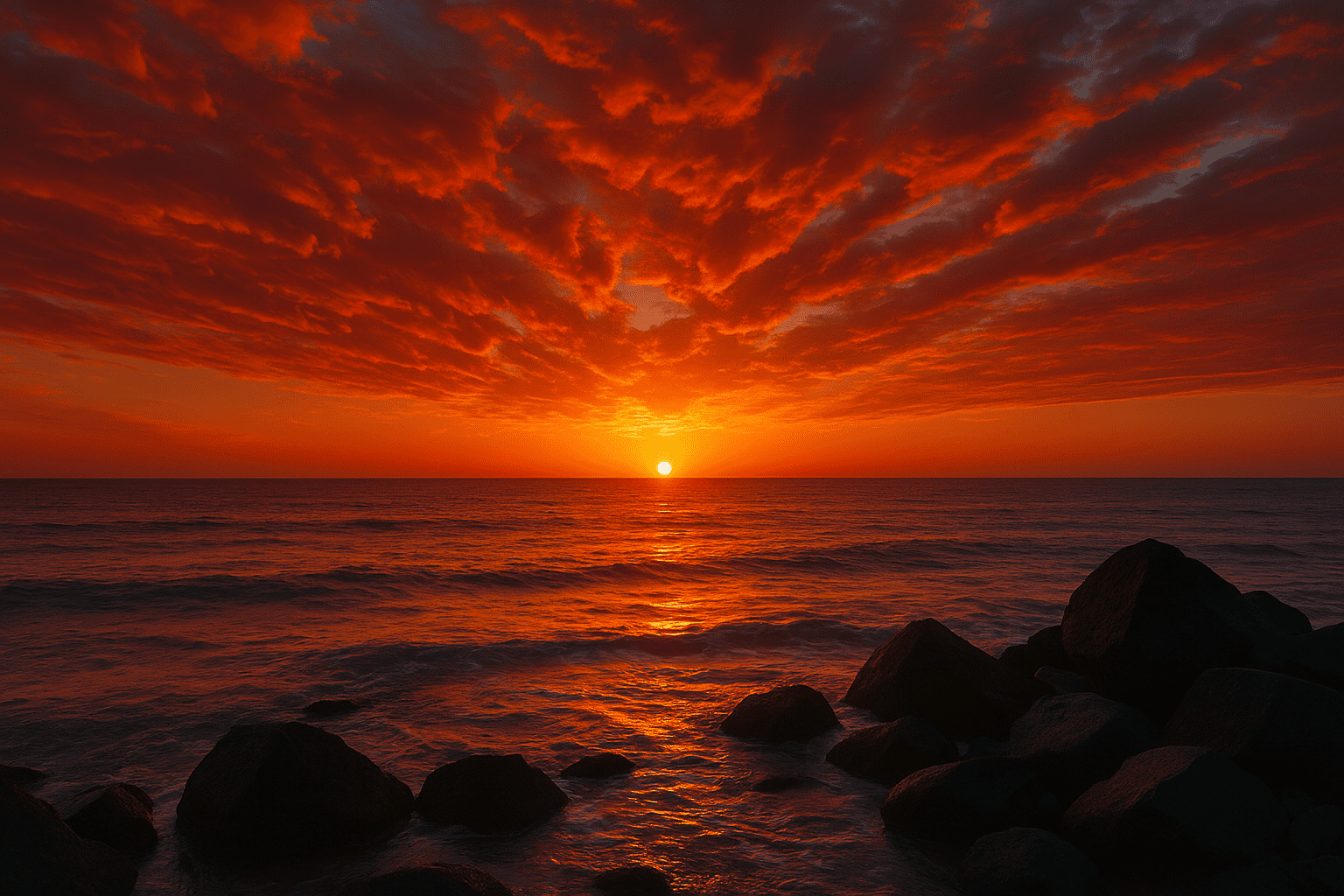
- Why convert: Abstract art is open to interpretation, but converting it to a photo can give a fresh perspective. It’s a creative challenge to see the image’s underlying mood as a photograph.
- Example PhotoPrompt prompt: “A photorealistic scene inspired by this abstract painting with bold red and blue shapes: imagine it as a fiery sunset over the ocean. A realistic photo of an ocean view at dusk with red and orange sky.”
- What to expect: You’ll get a vivid photograph that matches the abstract color scheme. The connection to the abstract art is in the mood and color palette.
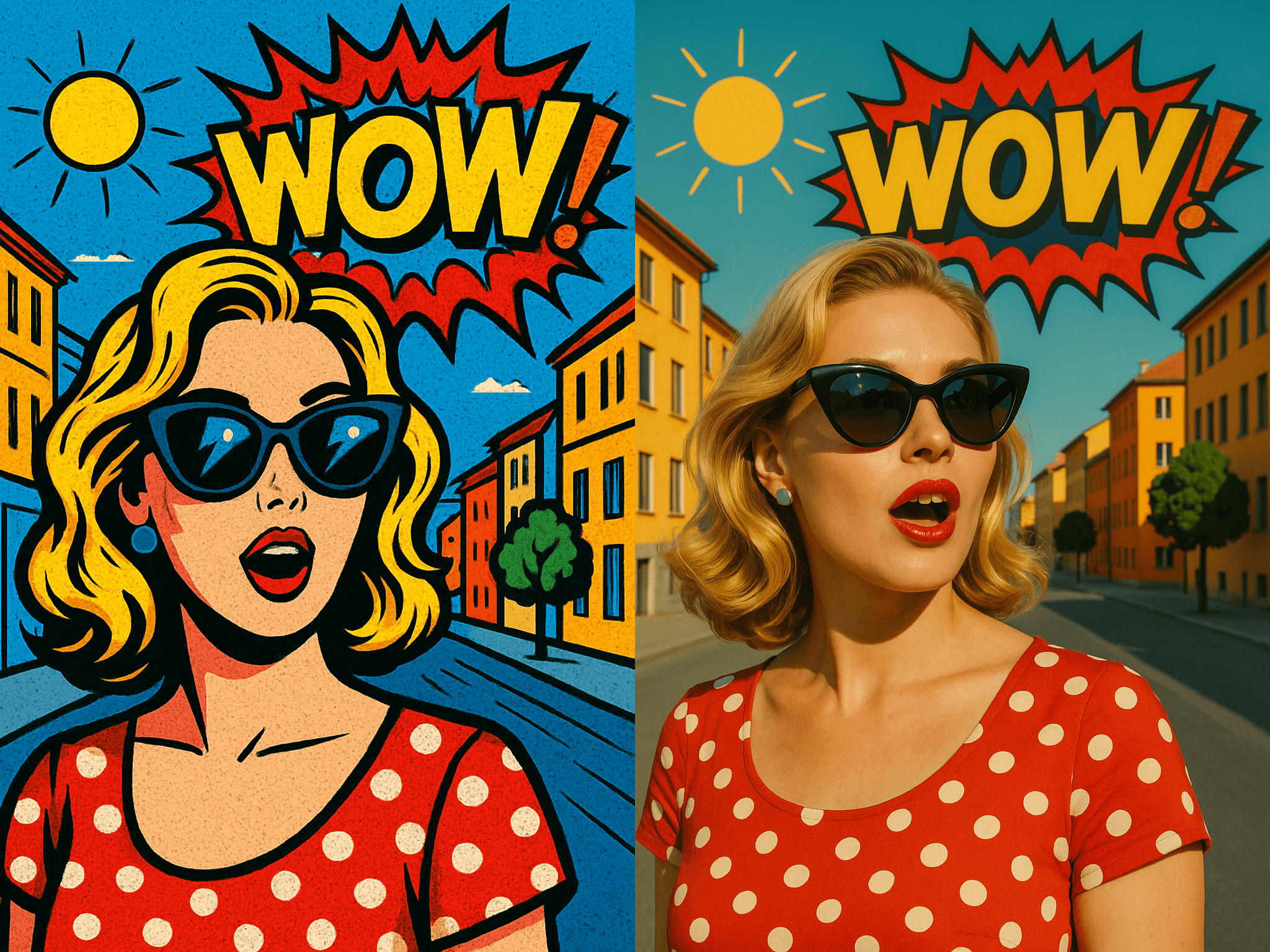
Pop Art
Pop art uses imagery from popular culture. It is known for bright colors, bold outlines, and graphic, iconic designs. Think Andy Warhol or Roy Lichtenstein.
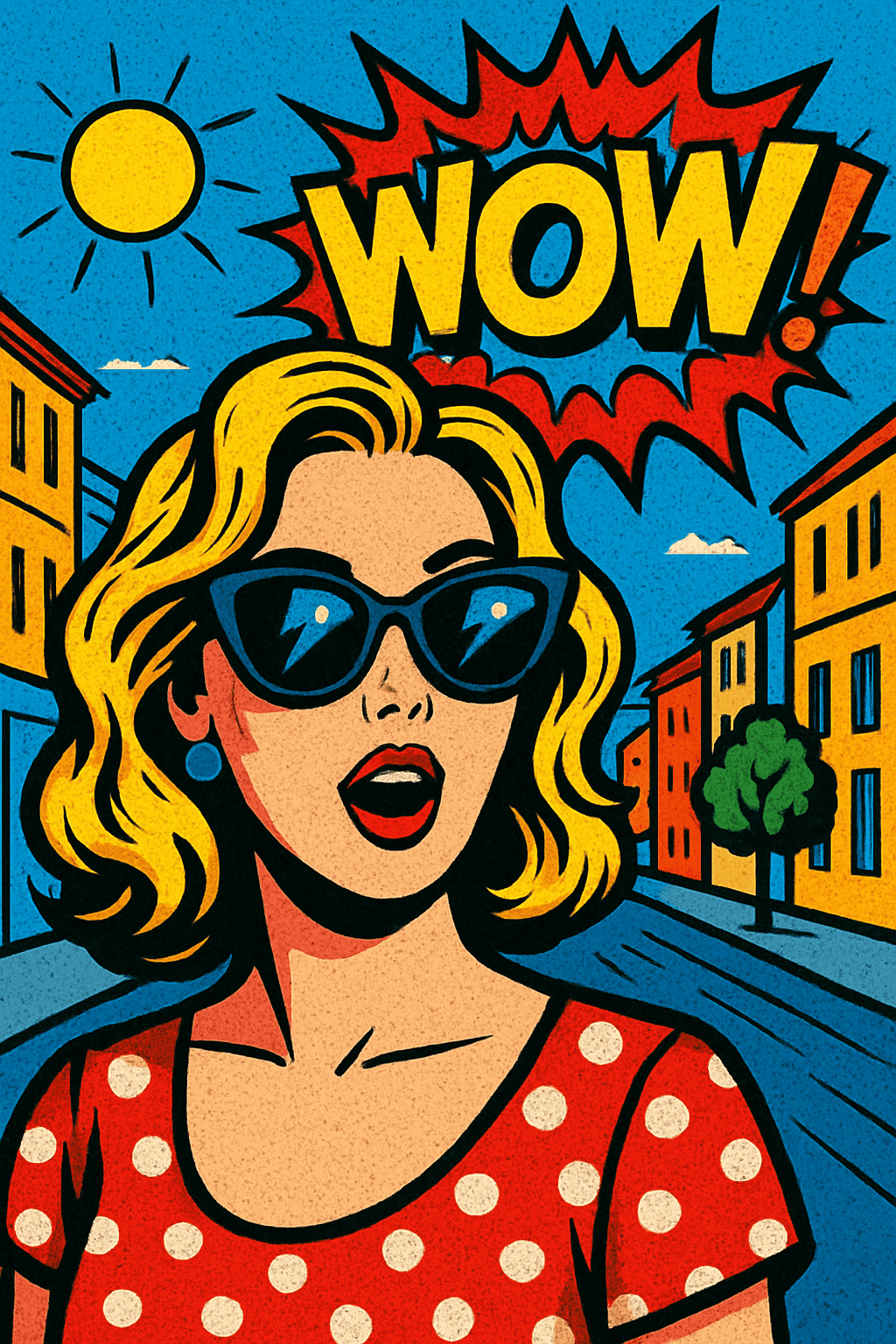
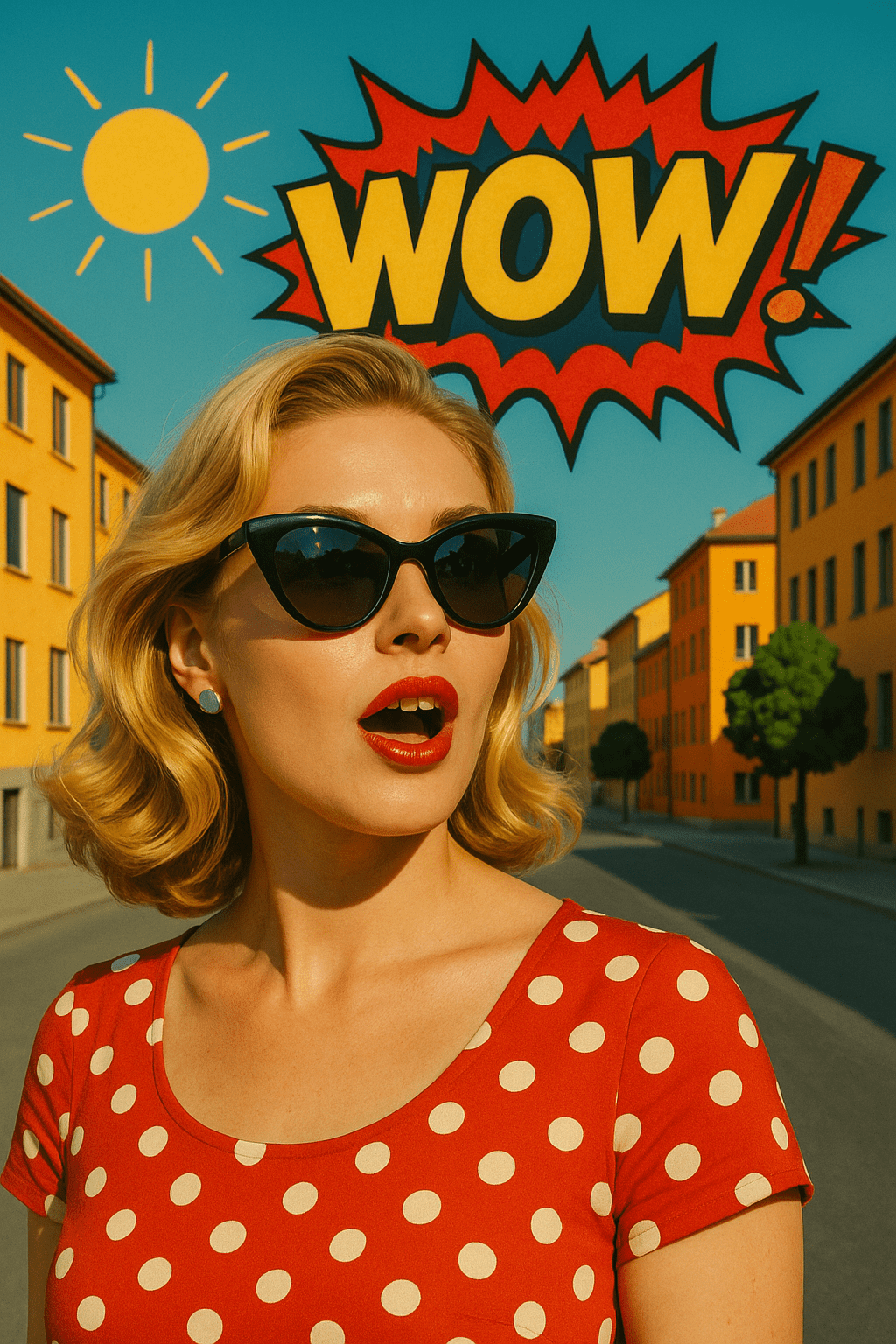
- Why convert: Converting pop art to a photo blurs the line between art and reality. It’s a fun way to modernize kitschy or retro art.
- Example PhotoPrompt prompt: “A realistic photograph inspired by this pop art image of a woman with sunglasses. The photo should show a woman with sunglasses on a sunny street, with vivid colors and a playful composition.”
- What to expect: The result should look like a real photo of a woman on a street, but with the pop art’s bold vibe – very saturated colors or graphic placement.
Surrealism
Surrealism shows dream-like, bizarre scenes. It mixes realistic objects in unusual ways – melting clocks or impossible landscapes.
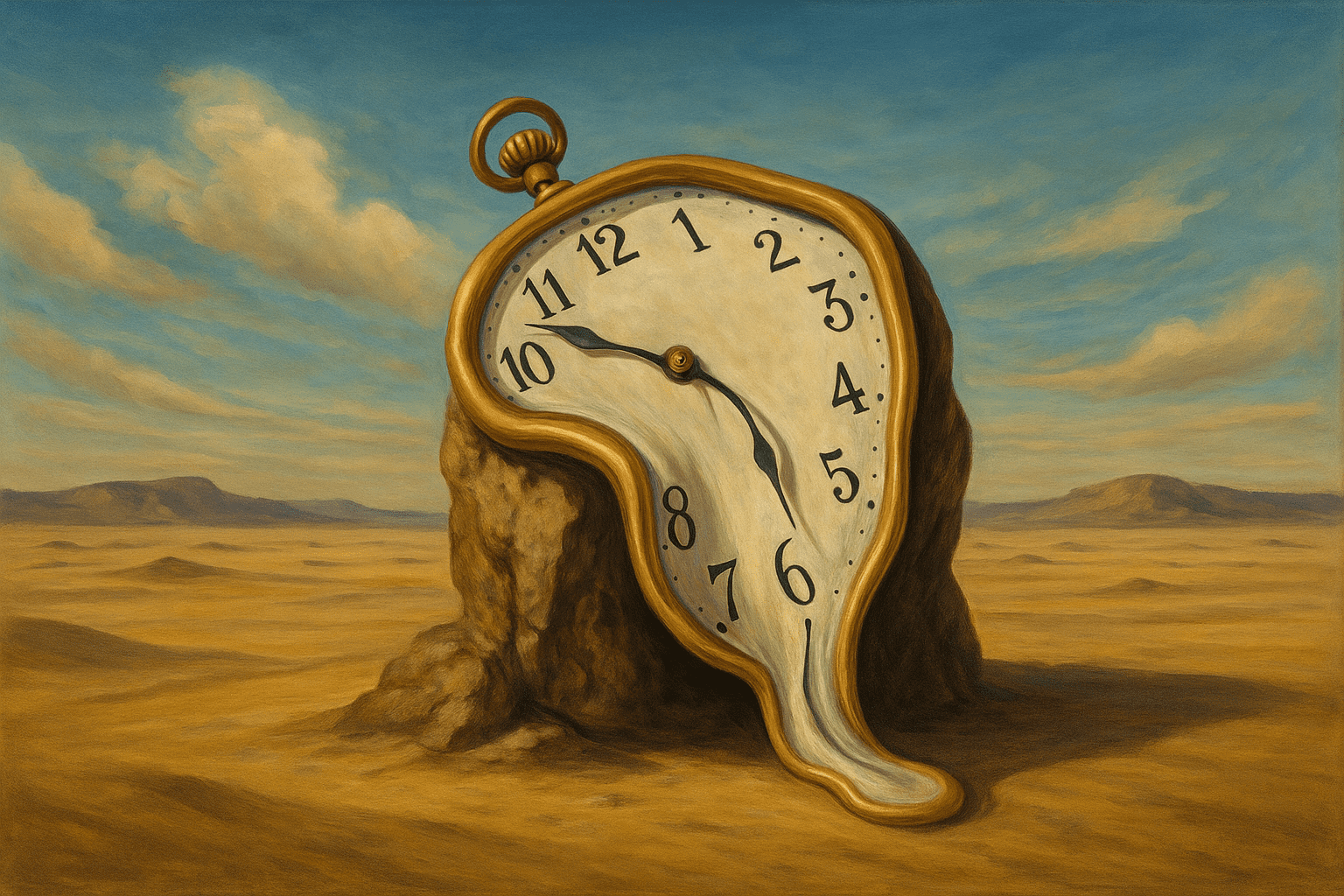
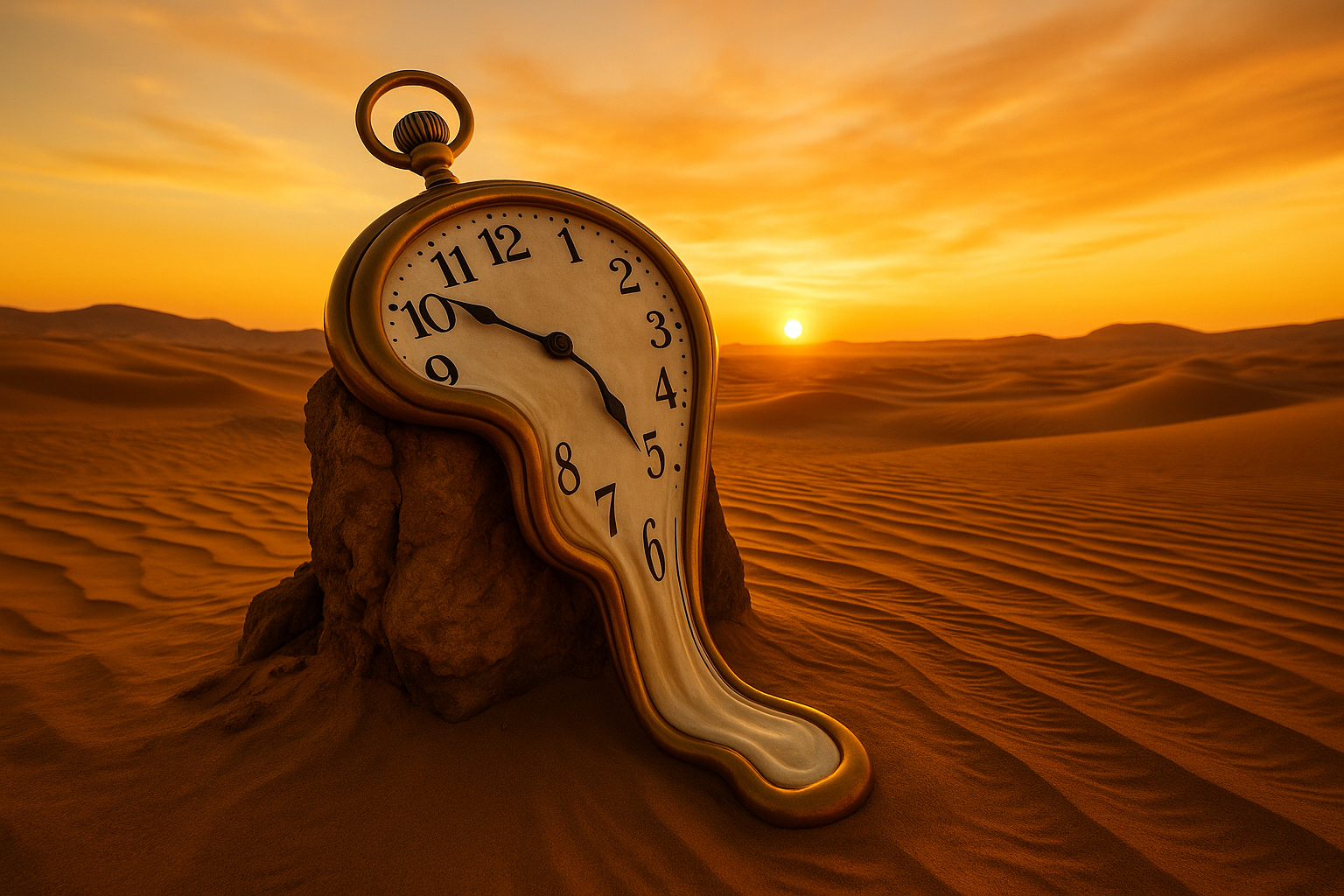
- Why convert: Surreal art already blurs reality, but AI can create a different kind of dreamlike photo. Converting surrealism to a photo is a creative experiment.
- Example PhotoPrompt prompt: “A photorealistic image of a desert with a gigantic clock melting over a rock, inspired by surrealism. The scene is lit by a golden sunset, and the sand dunes are detailed and textured.”
- What to expect: You should get a real-looking photo of sand dunes and sky, with a clock rendered realistically (as if it were an actual melting clock sculpture).
Minimalist Flat Style
Minimalist flat art uses simple geometric shapes and solid colors with no shading or texture. It’s common in modern iconography.
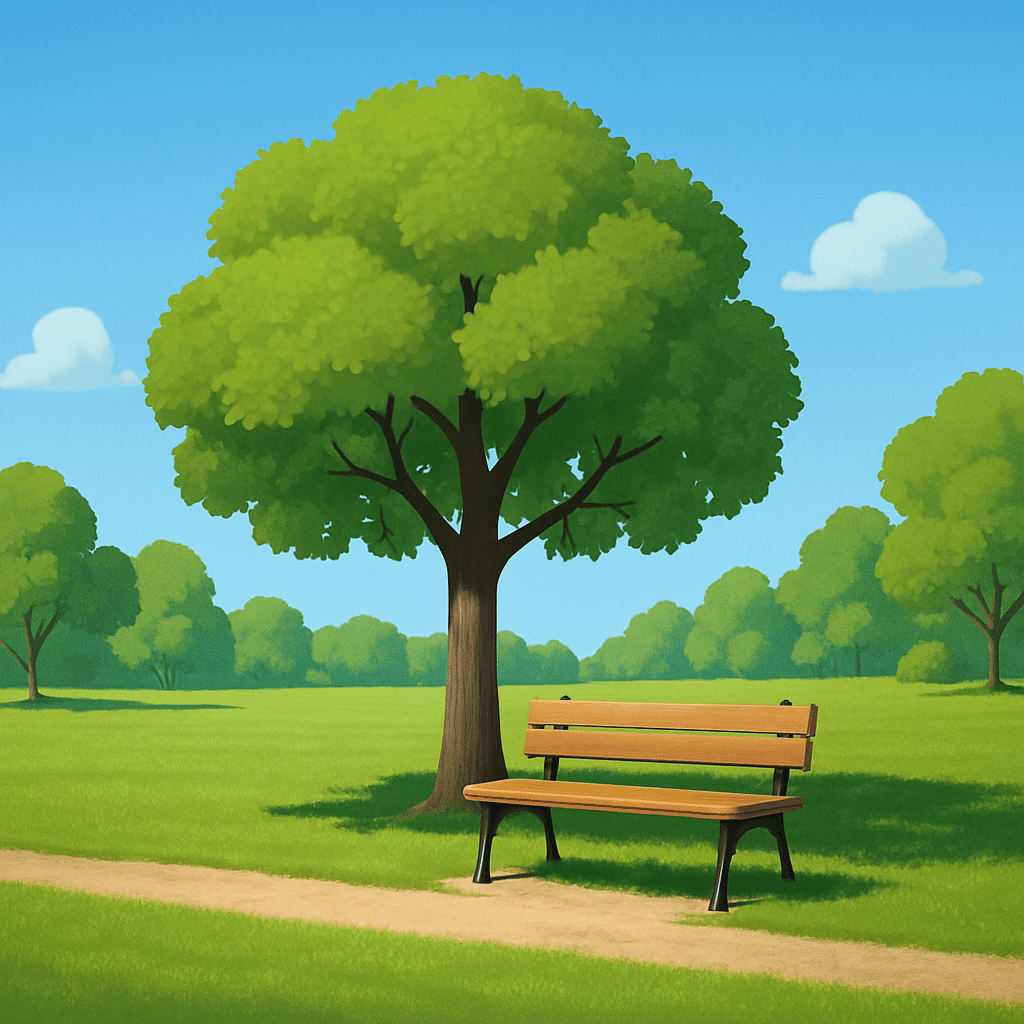
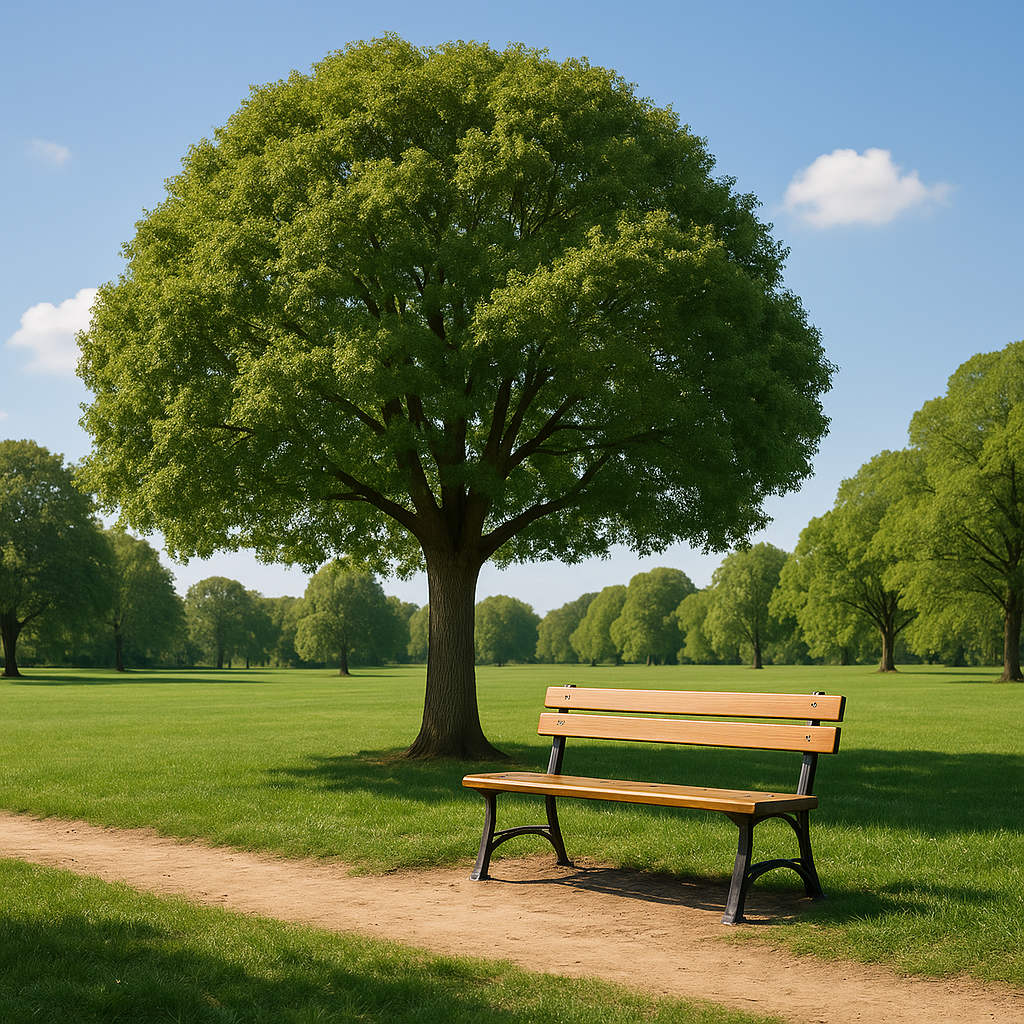
- Why convert: If you have a flat-design illustration, you might want a more realistic version for media or storyboards.
- Example PhotoPrompt prompt: “A realistic photograph of a park scene based on this minimalist flat illustration of a tree and bench. The photo should show a green park with a wooden bench under a tree.”
- What to expect: The AI will add detail and depth. You’ll see real grass blades, bark on the tree, and a textured bench.
Mixed Media Collage
Mixed media collages combine various materials or images – often overlapping photographs, paint, paper, and textures.
- Why convert: Collages are creative, but you may want a unified photo vision. It’s also an interesting challenge for the AI to blend the collage elements into one coherent scene.
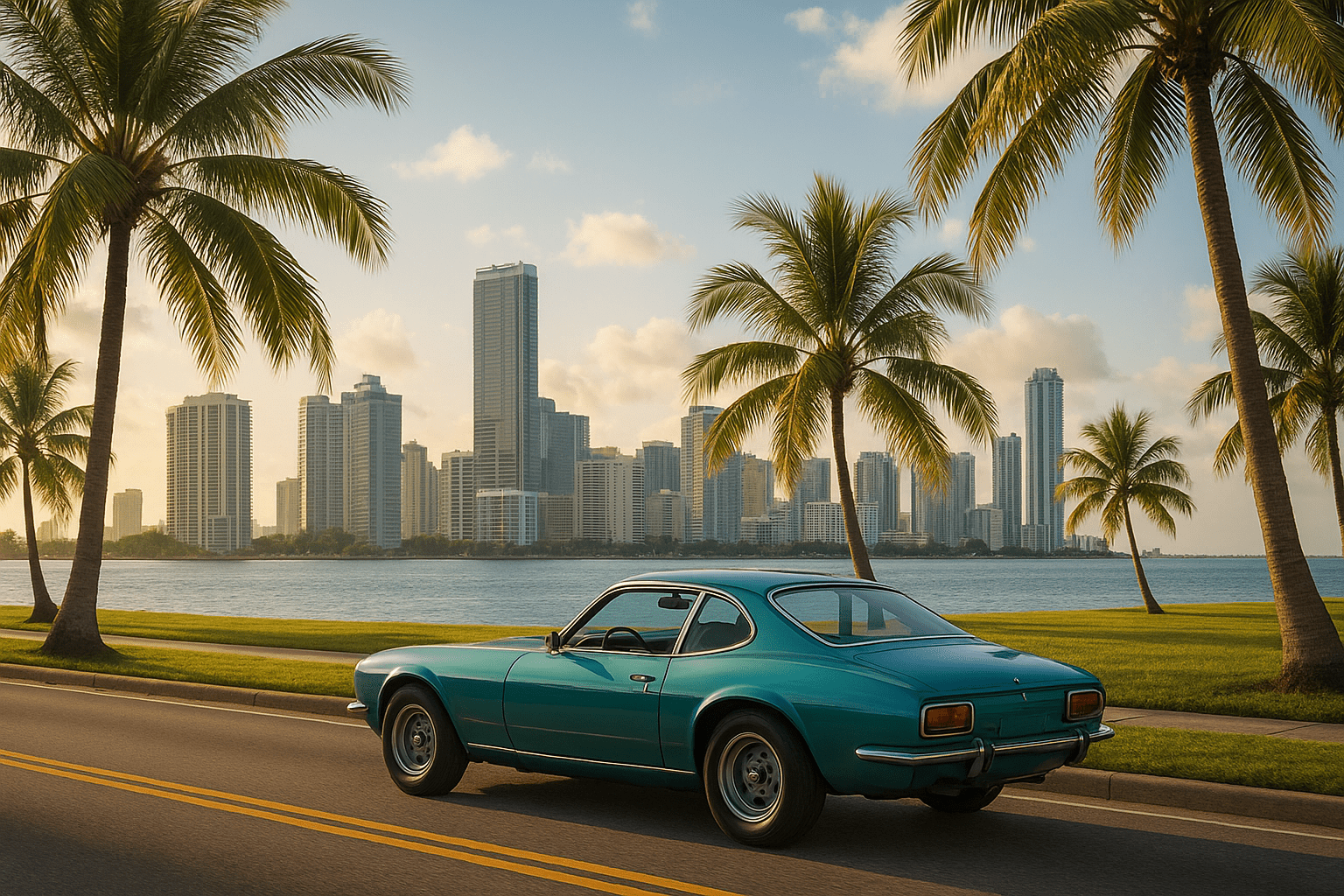
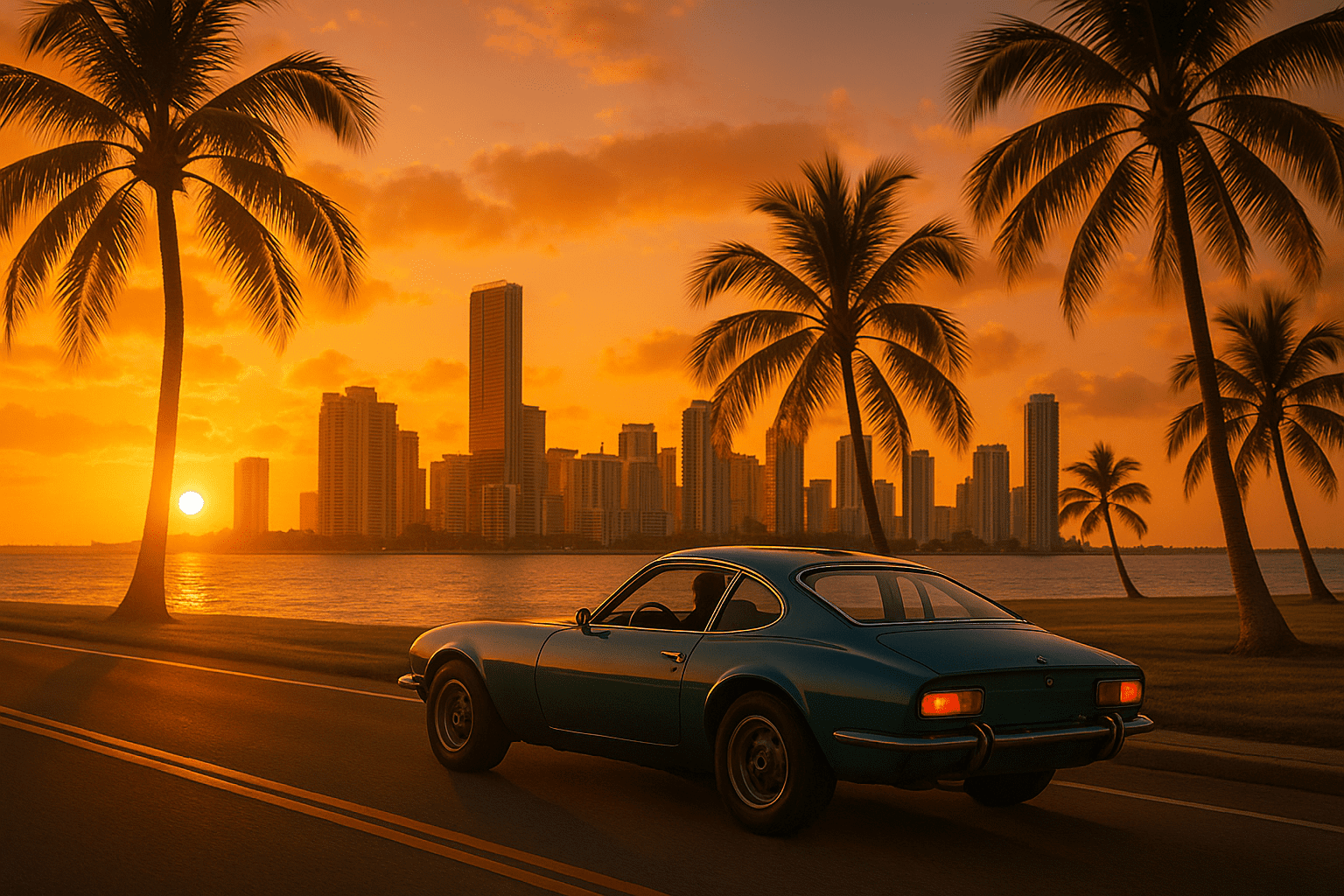
- Example PhotoPrompt prompt: “A photorealistic image blending elements of travel and nature. Create a realistic scene of a road trip at sunset with a city skyline and palm trees visible.”
- What to expect: The output should look like one photo with all elements integrated – e.g., a car driving toward a city with palm trees on the roadside.
Tips & Common Mistakes
Getting great photorealistic results depends on how you write your prompt and use the AI. Here are some tips and pitfalls to watch out for:
- Be descriptive and concrete: Specify details like setting, lighting, mood, and camera angle. For example, say “as if taken at golden hour with a 50mm lens” or “DSLR quality, ultra-realistic”.
- Include keywords for realism: Words like “photorealistic”, “8K resolution”, “high detail”, “realistic lighting” guide the AI.
- Mention the art style only as context: If you want to remove the style, you usually don’t have to mention “cartoon” or “anime” in the prompt. Describe the scene normally.
- Use reference images for consistency: PhotoPrompt lets you upload images. If you want to preserve certain elements, include the original artwork as a reference.
- Iterate and refine: If the first result isn’t perfect, tweak your prompt. Add missing details (like “bright sunlight” or “studio portrait”).
- Watch out for weird distortions: Sometimes AI-generated images have odd artifacts. If that happens, try simplifying the prompt.
- Avoid too many objects: Asking for a very complex scene with dozens of items can confuse the AI. Focus on 1–3 main subjects.
- Mind the resolution: PhotoPrompt can generate high-res images, but if you find details blurry, try specifying “4K” or “8K” in the prompt.
FAQ
Q: How can I convert a drawing or cartoon to a realistic photo with AI?
A: You can use an AI image generator like PhotoPrompt, which uses GPT-4o’s image model. Simply write a detailed prompt describing what the drawing or cartoon should look like as a photo. The AI will interpret your words to generate an image that looks like a real photograph.
Q: What is PhotoPrompt and is it free?
A: PhotoPrompt is an online AI image generation tool built on OpenAI’s GPT-4o. It’s easy to use via your browser: just enter your prompt and hit generate. PhotoPrompt offers a generous free tier with monthly credits so you can try it out at no cost.
Q: Can PhotoPrompt convert any art style to a realistic photo?
A: Yes, PhotoPrompt is very versatile. It can handle everything from cartoons and anime to oil paintings, pencil sketches, and abstract art. In general, the process is the same: describe the content of the image and use terms like “photorealistic,” “DSLR photograph,” or “ultra-detailed”.
Q: What are common mistakes to avoid in prompts?
A: Avoid overly vague descriptions or conflicting instructions. Also, if you say both “cartoon-like” and “photorealistic,” the AI might get confused. Stick to realism keywords if you want a photo.
Q: How do I get the best photorealistic results?
A: Use clear, rich detail in your prompt. Mention camera terms (aperture, lens, lighting) if you know them. Specify atmosphere and location cues. If converting from art, describe what should appear in the photo rather than how it looks in the art.
Q: Are there other tools for style conversion?
A: Yes, there are various AI tools like Stable Diffusion or MidJourney, but GPT-4o is known for handling text prompts and details very precisely. PhotoPrompt has the advantage of being designed for ease of use and offering high-quality photo output specifically.
Ready to see your art come to life?
Transforming art into realistic photos is now accessible to everyone thanks to AI. With the new GPT-4o image capabilities and tools like PhotoPrompt, you can take any creative image – be it a cartoon, anime, sketch, or abstract collage – and turn it into a vivid, lifelike photo. PhotoPrompt is free to try and beginner-friendly.
Whether you’re a designer wanting photorealistic concept art, an educator making engaging visuals, or just curious to turn your drawings into photos, PhotoPrompt gives you the power to do it in minutes. Try it out today and see your imagination made real – the only limit is how you describe it.