

text-to-image3:2Trending
Leaf-cutout Art
Inspired by leaf-cutout art, delicately depict a couple sitting on a bench beneath a blossoming tree through intricate hollow cutouts on a single, com
Abstract
Nature
Leaf
8149PhotoPrompt
Copy this Vertical Story Canvas Extension AI Photo Prompt for abstract results, then adjust the subject, mood, and output ratio in PhotoPrompt.
Extend the uploaded square photo into a 9:16 vertical story format. Preserve the original image area, subject, product, pose, lighting, perspective, and colors exactly. Add new space above and below that continues the same background, surface, shadows, and atmosphere. Keep the main subject centered in the middle third with clean breathing room for optional text outside the subject area. Do not stretch the original, crop the subject, add new focal objects, invent logos, add text, or create obvious seams.
Prepare one or more clear reference photos with the main subject visible and similar image quality. Avoid blurry screenshots, heavy filters, watermarks, tiny faces, and large text overlays.
The prompt should preserve the important source-photo details while changing the composition, lighting, background, or layout described by Vertical Story Canvas Extension. It should avoid inventing new people, changing core identity, or adding readable text unless requested.
Replace the main subject while keeping the composition intent.
Abstract / main person / product / scene
Adjust mood words to match the emotional direction.
romantic / clean / dramatic / playful
Swap lighting phrases for the target look.
soft daylight / warm indoor light / studio light
Use the aspect ratio that fits your channel or layout.
9:16 / 1:1 / 4:5 / 16:9
Add preservation instructions for details that must not change.
exact face / same outfit / same product details
Instagram, TikTok, and profile-ready visuals
Extend the uploaded square photo into a 9:16 vertical story format. Preserve the original image area, subject, product, pose, lighting, perspective, and colors exactly. Add new space above and below that continues the same background, surface, shadows, and atmosphere. Keep the main subject centered in the middle third with clean breathing room for optional text outside the subject area. Do not stretch the original, crop the subject, add new focal objects, invent logos, add text, or create obvious seams. Adapt it for a polished social media post. Preserve source-photo identity and content.
Blog headers, mood boards, and creative decks
Extend the uploaded square photo into a 9:16 vertical story format. Preserve the original image area, subject, product, pose, lighting, perspective, and colors exactly. Add new space above and below that continues the same background, surface, shadows, and atmosphere. Keep the main subject centered in the middle third with clean breathing room for optional text outside the subject area. Do not stretch the original, crop the subject, add new focal objects, invent logos, add text, or create obvious seams. Make the result more editorial, refined, and presentation-ready. Preserve source-photo identity and content.
Personal albums, everyday snapshots, and softer results
Extend the uploaded square photo into a 9:16 vertical story format. Preserve the original image area, subject, product, pose, lighting, perspective, and colors exactly. Add new space above and below that continues the same background, surface, shadows, and atmosphere. Keep the main subject centered in the middle third with clean breathing room for optional text outside the subject area. Do not stretch the original, crop the subject, add new focal objects, invent logos, add text, or create obvious seams. Use warmer light, natural color, and a less stylized finish. Preserve source-photo identity and content.
Add: Preserve the exact facial identity, expression, hairstyle, clothing, and original subject details from the uploaded photo.
Add: Do not add readable text, dates, watermarks, labels, captions, or logos.
Add: Keep realistic skin texture, natural edges, and photographic detail without plastic smoothing.
It is a copy-paste prompt designed to help create a specific vertical story canvas extension result in an AI image generator.
Use clear reference photos where the subject and important details are visible. Similar image quality usually gives more consistent results.
Yes. The suggested ratio is 9:16, but you can switch to a square, vertical, or wide layout if your generator supports it.
Yes. You can copy the prompt into other image generators, then adjust model-specific settings such as aspect ratio, reference strength, or image quality.
More ideas with similar intent and visual direction.
Inspired by leaf-cutout art, delicately depict a couple sitting on a bench beneath a blossoming tree through intricate hollow cutouts on a single, com

Whimsical children's book illustration of a friendly dragon reading a book under a magical tree, colorful flowers, fairy tale atmosphere, watercolor p

Abstract digital art featuring flowing geometric patterns in electric blue and purple gradients, modern minimalist composition, clean lines, contempor
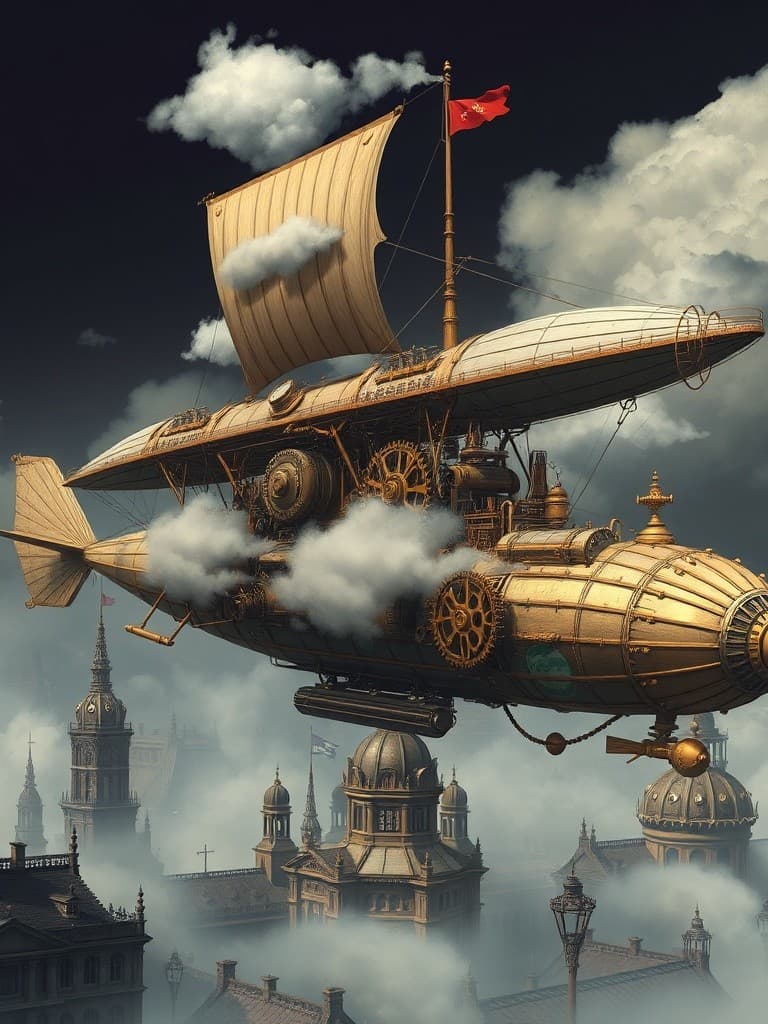
Concept art of a steampunk airship floating above Victorian-era city, brass gears and copper pipes, steam clouds, detailed mechanical design, fantasy

Elegant Christmas photo frame border design with holly leaves and red berries, golden jingle bells, pine branches with snow, festive red ribbon, ornat

Abstract Christmas art composition with flowing ribbons of red, green and gold, geometric snowflake patterns, bokeh light effects, festive color gradi